Appearance
Login
What the person sees. The login screen (LoginHomepageScreen, which the entries type AndroidAppLaunchLoginScreen), the first screen a fresh install shows. From it a person logs in, asks for help with a forgotten password, or creates an account.
What you do. You log in with logIn({ username, password }), or take one of the other two doors. The screens a login can lead to are their own areas: two-factor, account recovery and registration.
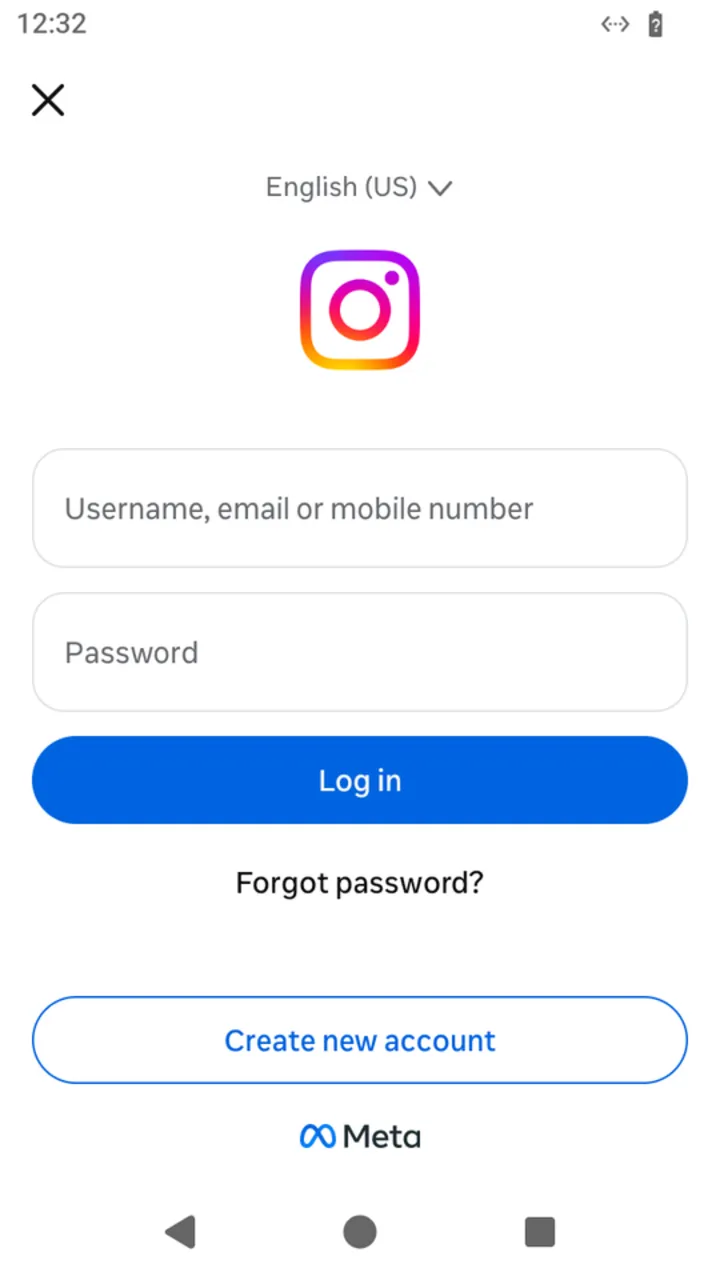 The login screen a fresh install shows:
 install hands it to main.
Unlike the other areas, the examples start a fresh install: AndroidIgpapi.install({ seed, main }) hands main the login screen alone. seed names the virtual phone (How the Simulator works); omit it for a random one. The account's name and password are read from IG_USERNAME and IG_PASSWORD. The examples answer no errors, so that each one stays on its path. Every action can fail with typed errors; answer them with Effect.catchTag, as A complete session does (Errors), and challenges with your otherwise constant (Challenges).
ts
import {
  AccountRecoveryEmailCodeScreen,
  AndroidIgpapi,
  FeedTimelineScreen,
  LoginHomepageScreen,
  LoginTwoFactorApproveFromAnotherDeviceScreen,
  LoginTwoFactorChooseMethodScreen,
} from '@igpapi/android';
import { Effect } from 'effect';
import { readFile, writeFile } from 'node:fs/promises';

// Placeholders: the account and its secrets come from the environment.
const username = process.env['IG_USERNAME'] ?? '';
const password = process.env['IG_PASSWORD'] ?? '';
The matrix
| # | The person... | Starts on | Actions | Result |
|---|---|---|---|---|
| 1 | Logs in with a password | the login screen | logIn({ username, password }) | The feed (after the app's launch), or the screen that asks for a second step |
| 2 | Logs in and keeps the session | the login screen | logIn(...), then the feed's checkpoint() | A checkpoint to store and start from later |
| 3 | Comes back to the login screen | a stored pre-login checkpoint | launch({ checkpoint, screen }) | The login screen of a process that never got a session |
| 4 | Logs in on an account with two-factor authentication | the login screen | logIn(...) | The approval screen or the method picker: continued in two-factor |
| 5 | Is sent to last-resort recovery by the login | the login screen | logIn(...) | The recovery code screen: continued in account recovery |
| 6 | Taps "Forgot password" | the login screen | recoverPassword() | The account-recovery search screen |
| 7 | Taps "Create new account" | the login screen | createNewAccount() | The registration's first screen, "What's your phone number?" |
A login the server declines stays a typed failure of logIn (a wrong password, a rejected login): answer it with catchTag. A challenge is answered by otherwise and never reaches main.
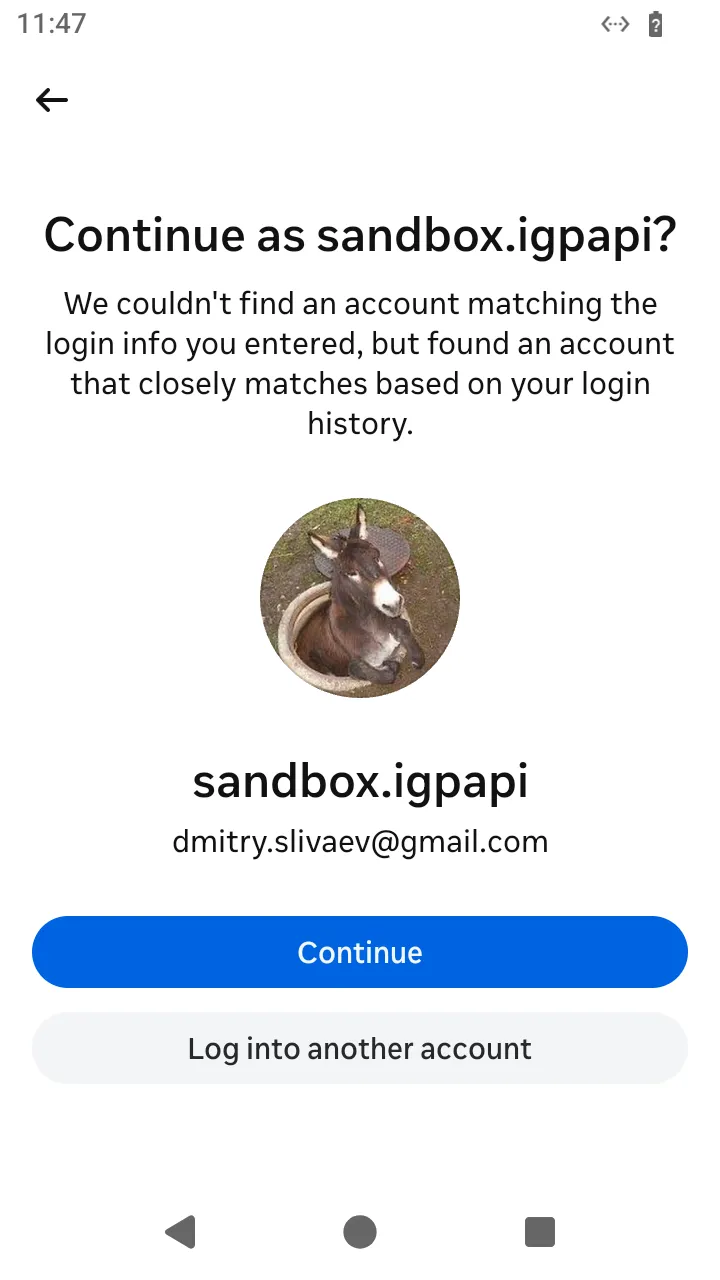 When the typed username is close to an account the phone knows, the app offers it;
 logIn itself sends what you pass it and fails with a typed login error when Instagram declines. The password path never shows the location-permission prompt; only an account-recovery login does.
The scenarios
1. Log in with a password
The person types the username and the password and taps Log in. The action: logIn sends the login. Once the session exists it continues the same process through the app's launch and answers the next screen, so the answer is the feed, or the screen that asks for a second step (scenarios 4 and 5).
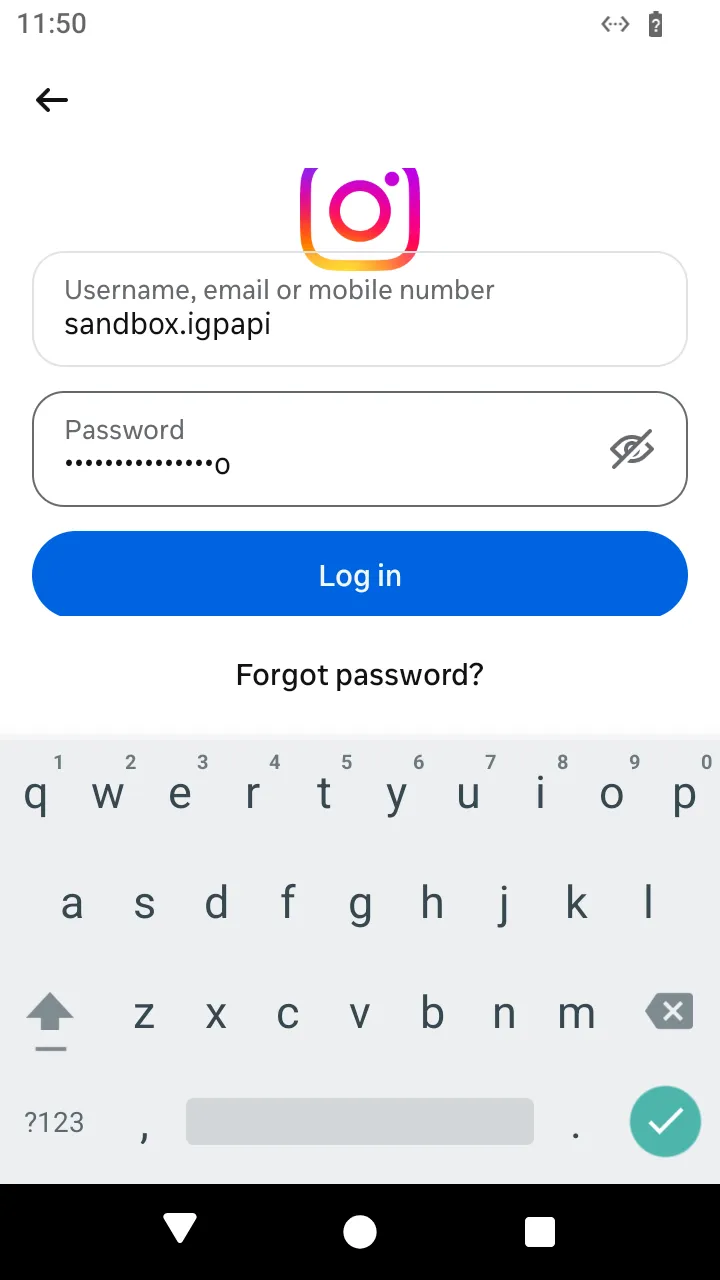 The username and password typed;
 logIn({ username, password }) sends them.
ts
// A fresh install logs in with a password. The account has no second step: the answer is the feed.
const loggedIn = await AndroidIgpapi.install({
  seed: username,
  main: home =>
    Effect.gen(function* () {
      // `logIn` sends the identified login and, once the session exists, continues the same
      // process through the app's launch. Its answer is the next screen: the feed, or a
      // screen that asks for more (see the two-factor and account-recovery READMEs).
      const next = yield* home.logIn({ username, password });
      return FeedTimelineScreen.is(next) ? 'feed' : next.id;
    }),
});
console.log(loggedIn);
A wrong password is a typed failure of logIn: the app shows the dialog below, and your program gets IgLoginBadPasswordError (Errors).
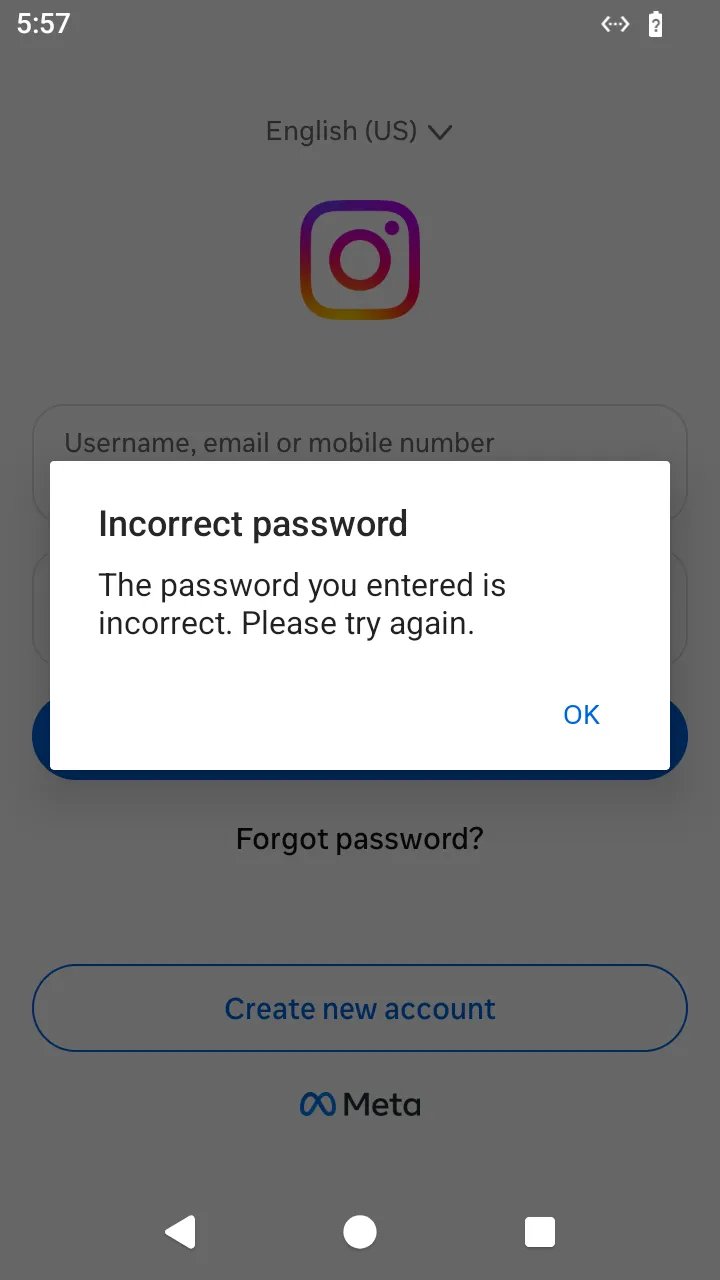 A wrong password: the app shows this dialog; your program gets
 IgLoginBadPasswordError.
2. Log in and keep the session
A checkpoint carries the session and the device's private identifiers: treat it as a secret. The next start reads it back as plain JSON.
ts
// Log in and keep the session: take the feed's checkpoint and store it for the next start.
const checkpoint = await AndroidIgpapi.install({
  seed: username,
  main: home =>
    Effect.gen(function* () {
      const next = yield* home.logIn({ username, password });
      if (!FeedTimelineScreen.is(next)) return undefined;
      // A secret: it carries the session and the device's private identifiers.
      return yield* next.checkpoint();
    }),
});
console.log(JSON.stringify(checkpoint));
3. Come back to the login screen
A checkpoint taken before a session launches into the login screen. The program below takes one first, so the file it reads exists.
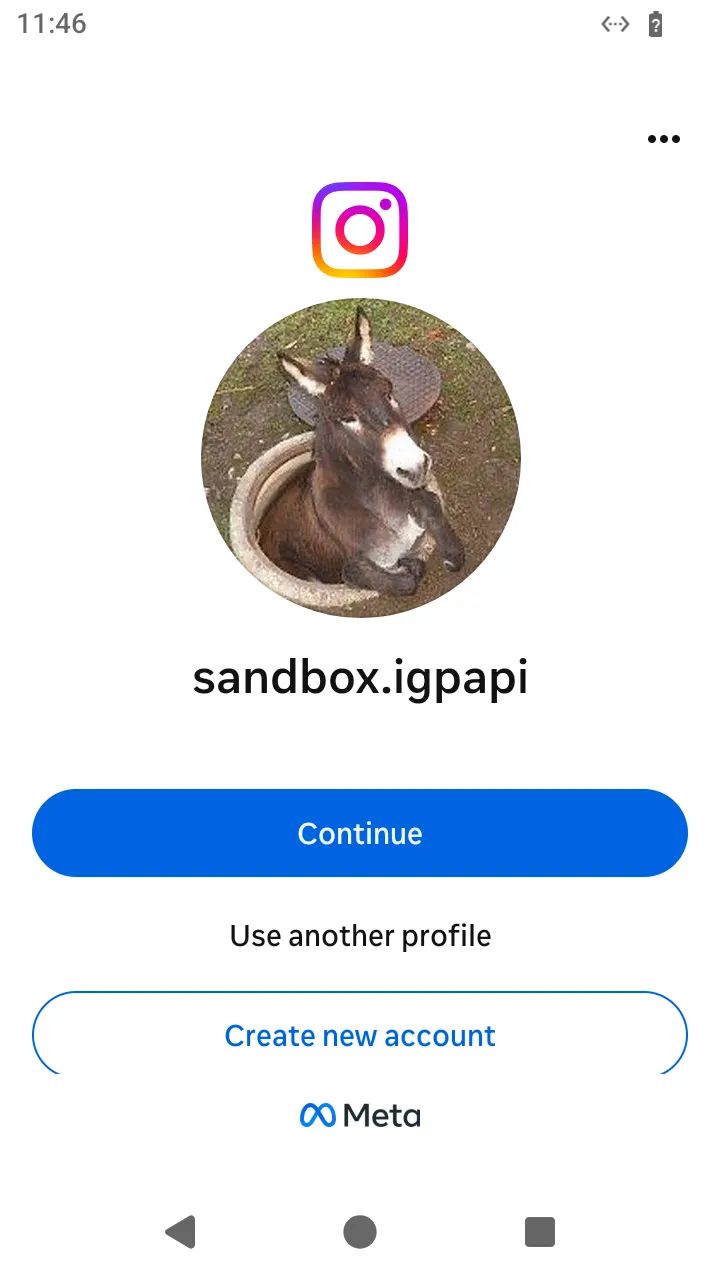 On a phone that was signed in before, the app offers the saved profile. A launch from a checkpoint taken before a login gives your program the login screen.
ts
// Keep the login screen of a process that never got a session, and come back to it later.
const beforeLogin = await AndroidIgpapi.install({ seed: username, main: home => home.checkpoint() });
await writeFile('before-login.json', JSON.stringify(beforeLogin));

const savedBeforeLogin = JSON.parse(await readFile('before-login.json', 'utf8'));
const home = await AndroidIgpapi.launch({
  checkpoint: savedBeforeLogin,
  screen: LoginHomepageScreen,
  main: home => Effect.succeed(home.id),
});
console.log(home);
4. Log in on an account with two-factor authentication
The login's answer is a screen of the two-factor area; the program that walks it is there.
ts
// An account with two-factor authentication: the login answers the screen that asks for the second step.
const secondStep = await AndroidIgpapi.install({
  seed: username,
  main: home =>
    Effect.gen(function* () {
      const next = yield* home.logIn({ username, password });
      // Approval on another device, or the picker of the ways to confirm; both continue in the two-factor README.
      if (LoginTwoFactorApproveFromAnotherDeviceScreen.is(next)) return 'approval';
      if (LoginTwoFactorChooseMethodScreen.is(next)) return 'method picker';
      return next.id;
    }),
});
console.log(secondStep);
5. Log in on an account Instagram escalates to recovery
The login's answer is the recovery code screen of the account recovery area; the program that walks it is there.
ts
// An account Instagram escalates to last-resort recovery: the login answers the screen that asks for the emailed code.
const escalated = await AndroidIgpapi.install({
  seed: username,
  main: home =>
    Effect.gen(function* () {
      const next = yield* home.logIn({ username, password });
      return AccountRecoveryEmailCodeScreen.is(next) ? 'recovery code' : next.id;
    }),
});
console.log(escalated);
6. Forgot password
ts
// "Forgot password": the login screen opens the account-recovery search.
const recovery = await AndroidIgpapi.install({
  seed: username,
  main: home =>
    Effect.gen(function* () {
      const search = yield* home.recoverPassword();
      return search.id;
    }),
});
console.log(recovery);
7. Create a new account
ts
// "Create new account": the login screen opens the registration's first screen.
const registration = await AndroidIgpapi.install({
  seed: username,
  main: home =>
    Effect.gen(function* () {
      const phoneNumber = yield* home.createNewAccount();
      return phoneNumber.id;
    }),
});
console.log(registration);