Appearance
Two-factor login
What the person sees. An account with two-factor authentication does not reach the feed after the password. The app asks to approve the login on another device, offers a picker of the ways to confirm, or asks for the six-digit code of the authenticator app.
What you do. You walk the three screens: the approval on another device (LoginTwoFactorApproveFromAnotherDeviceScreen), the picker of the ways to confirm (LoginTwoFactorChooseMethodScreen) and the authenticator-app code entry (LoginTwoFactorAuthenticationAppCodeScreen). They are reached from the login screen's logIn, and every action that completes the login continues the process through the app's launch and answers the feed.
What this screen does not offer. Only the authenticator-app branch has actions. WhatsApp, SMS and backup codes are shown as data (offeredMethods) and have none, and the "Trust this device" toggle is neither an input nor an action. If the account uses SMS or WhatsApp codes, see Accounts that use SMS or WhatsApp codes.
Every example starts a fresh install: AndroidIgpapi.install({ seed, main }) hands main the login screen. The examples answer no errors, so that each one stays on its path. Every action can fail with typed errors; answer them with Effect.catchTag, as A complete session does (Errors), and challenges with your otherwise constant (Challenges).
ts
import {
  AndroidIgpapi,
  LoginTwoFactorApproveFromAnotherDeviceScreen,
  LoginTwoFactorChooseMethodScreen,
  totpCodeOf,
} from '@igpapi/android';
import { Effect } from 'effect';

// Placeholders: the account and its secrets come from the environment.
const username = process.env['IG_USERNAME'] ?? '';
const password = process.env['IG_PASSWORD'] ?? '';
// The account's authenticator setup key: the base32 secret Instagram showed when
// the account set its authenticator app up. The six-digit code rotates every
// 30 s, so `totpCodeOf` computes it from the key at the moment of submit, never
// once at startup.
const totpSecret = process.env['IG_TOTP_SECRET'] ?? '';
// How many approval polls a headless caller waits before it takes the headless
// way out (the app polls about every 7.5 s).
const APPROVAL_POLLS = 8;
The matrix
| # | The person... | Starts on | Actions | Result |
|---|---|---|---|---|
| 1 | Approves the login on another device | the approval screen | checkApproval() up to a bound, then tryAnotherWay(), chooseAuthenticationApp(), submitCode(code) | The feed, after the app's launch |
| 2 | Taps "Try another way" on the approval screen | the approval screen | tryAnotherWay() | The method picker |
| 3 | Picks the authentication app and types its code | the method picker | chooseAuthenticationApp(), submitCode(code) | The feed, after the app's launch |
| 4 | Approves from another device instead of typing the code | the authenticator-app code screen | checkApproval() up to a bound, then submitCode(code) | The feed, after the app's launch |
The Simulator never polls by itself: the caller owns the pace, and the app polls about every 7.5 seconds. The examples bound the wait at APPROVAL_POLLS (8) polls and take the headless way out after it: "Try another way" and the authentication app's code from the approval screen, the code alone from the code screen. The code is computed at the moment of submit with totpCodeOf(secret) (The authenticator code), and where the setup key comes from and how to keep it is on Log in. A declined approval is the typed LoginTwoFactorApprovalDeclinedError; a rejected code is LoginTwoFactorAuthenticationAppCodeRejectedError.
The scenarios
1. Approve on another device
ts
// The account asks for approval on another device: poll a bounded number of times, then take the headless way out.
const approved = await AndroidIgpapi.install({
  seed: username,
  main: home =>
    Effect.gen(function* () {
      const next = yield* home.logIn({ username, password });
      if (!LoginTwoFactorApproveFromAnotherDeviceScreen.is(next)) return undefined;
      // One poll of the trusted notification; the caller owns the pace, and a headless caller bounds it.
      let check = yield* next.checkApproval();
      for (let poll = 0; check.status === 'still-waiting' && poll < APPROVAL_POLLS; poll += 1) {
        yield* Effect.sleep('7500 millis');
        check = yield* next.checkApproval();
      }
      // An approved answer has created the session: the action continued the process and answers the feed.
      if (check.status !== 'still-waiting') return check.id;
      // Nobody approved in time: "Try another way" → the method picker → the
      // authentication app → the code computed from the setup key right now.
      const picker = yield* next.tryAnotherWay();
      const codeScreen = yield* picker.chooseAuthenticationApp();
      const done = yield* codeScreen.submitCode(totpCodeOf(totpSecret));
      return done.id;
    }),
});
console.log(approved);
2. Try another way
ts
// Choose another way than the approval: "Try another way" opens the method picker.
const picker = await AndroidIgpapi.install({
  seed: username,
  main: home =>
    Effect.gen(function* () {
      const next = yield* home.logIn({ username, password });
      if (!LoginTwoFactorApproveFromAnotherDeviceScreen.is(next)) return undefined;
      const methods = yield* next.tryAnotherWay();
      return methods.id;
    }),
});
console.log(picker);
3. Enter the authentication app's code
The login opens the picker straight away when the server's default is another method; the authentication app is the one method with an action.
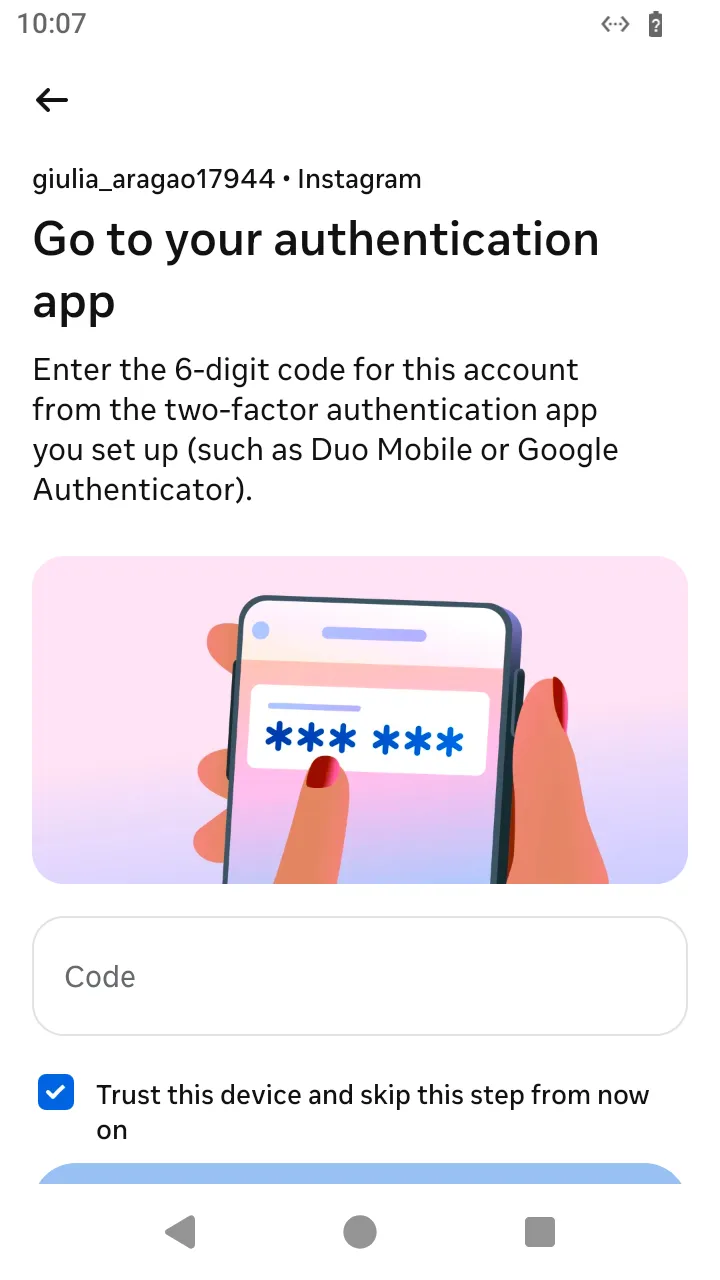 The authenticator-app code screen:
 submitCode(totpCodeOf(secret)).
ts
// The server's default is another method: the login opens the picker; choose the authentication app and enter its code.
const withCode = await AndroidIgpapi.install({
seed: username,
main: home =>
Effect.gen(function* () {
const next = yield* home.logIn({ username, password });
if (!LoginTwoFactorChooseMethodScreen.is(next)) return undefined;
const codeScreen = yield* next.chooseAuthenticationApp();
const done = yield* codeScreen.submitCode(totpCodeOf(totpSecret));
return done.id;
}),
});
console.log(withCode);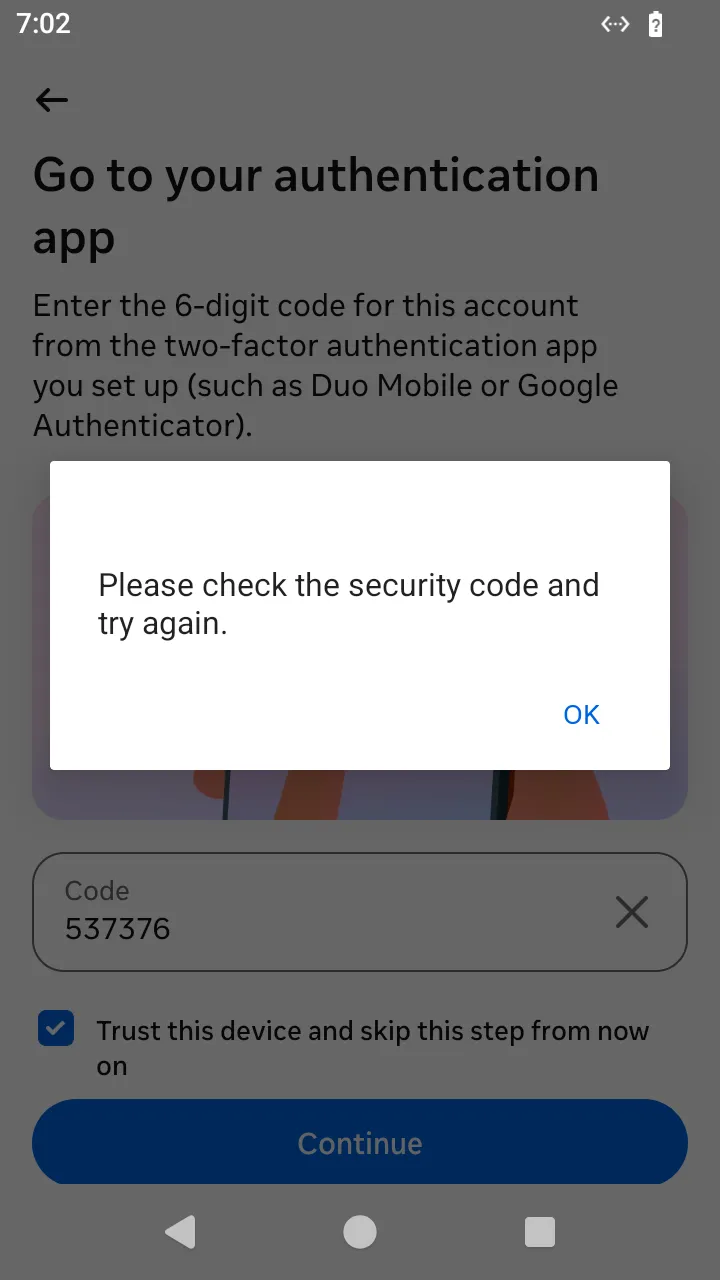 A rejected code: your program gets
 LoginTwoFactorAuthenticationAppCodeRejectedError.
4. Approve instead of typing the code
ts
// The account asks for approval on the code screen: poll a bounded number of times, then type the code.
const approvedOnCodeScreen = await AndroidIgpapi.install({
  seed: username,
  main: home =>
    Effect.gen(function* () {
      const next = yield* home.logIn({ username, password });
      if (!LoginTwoFactorChooseMethodScreen.is(next)) return undefined;
      const codeScreen = yield* next.chooseAuthenticationApp();
      // One poll of the trusted notification; the caller owns the pace, and a headless caller bounds it.
      let check = yield* codeScreen.checkApproval();
      for (let poll = 0; check.status === 'still-waiting' && poll < APPROVAL_POLLS; poll += 1) {
        yield* Effect.sleep('7500 millis');
        check = yield* codeScreen.checkApproval();
      }
      // An approved answer has created the session: the action continued the process and answers the feed.
      if (check.status !== 'still-waiting') return check.id;
      // Nobody approved in time: the headless way out here is to type the code.
      const done = yield* codeScreen.submitCode(totpCodeOf(totpSecret));
      return done.id;
    }),
});
console.log(approvedOnCodeScreen);