Appearance
Profiles
What the person sees. Another user's profile with its grid, its posts feed and its Reels tab, and the viewer's own profile with its editor for the bio, the username and the links.
What you do. You open a profile (UserProfileScreen), follow it, scroll its grid, open its posts feed (ProfilePostsFeedScreen) and its Reels tab (UserProfileReelsTabScreen). On your own profile (MyProfileScreen) you open the editor (EditProfileScreen) and change the bio, the username and the website.
A profile is reached from search (a recent account, a suggested user or a result), from the suggested-users rail of another profile, or, for your own, from the feed's bottom bar. The examples below reach one through the search.
Every example starts from session.json, the session Your first program saved, and names the screen it expects (screen: FeedTimelineScreen). The examples show the success path: errors are answered as in Errors, and challenges by your otherwise constant (Challenges: answer them once with otherwise).
ts
import { AndroidIgpapi, EditProfileLinksScreen, FeedTimelineScreen } from '@igpapi/android';
import { Effect } from 'effect';
import { readFile } from 'node:fs/promises';

// A checkpoint read back from your storage (see "Keep a session").
const saved = JSON.parse(await readFile('session.json', 'utf8'));
The matrix
| # | The person... | Starts on | Actions | Result |
|---|---|---|---|---|
| 0 | Opens a profile by username | the feed | openSearchTab(), openSearchInput(), change(username), search(username), openUsers(), the match's openProfile() | That account's profile |
| 1 | Visits a profile | the search results | the account's openProfile(); data, grid, suggestedUsers | The profile: user, grid tiles, friendship state and suggested users |
| 2 | Follows the profile and visits a suggested user | a profile | follow(), then a rail row's openProfile() | The follow and the refreshed rail; the next profile, opened as the app opens it from that rail |
| 3 | Scrolls the media grid down | a profile | scrollGrid() | The tiles of the page after the visit's first, and where the page after it starts |
| 4 | Opens a grid tile and swipes through the posts | a profile | the tile's open(), swipeToNext(), nextPage(), back() | The posts feed starting at the tile; its swipe walk; back to the grid |
| 5 | Opens the profile's Reels tab and plays a clip | a profile | openReelsTab(), the clip's open() | The Reels viewer on the tab's whole list at that clip |
| 6 | Taps "Message" | a profile | openDirectThread() | The one-to-one conversation with that user (see Direct) |
| 7 | Opens their own profile | the feed | openMyProfileTab() | Your profile: the viewer and the background requests the tab sends |
| 8 | Changes their bio | their own profile | openEditProfile(), openBio(), changeBio(text), back() | The bio request (one, on Done) and the editor again |
| 9 | Changes their username | their own profile | openEditProfile(), openUsername(), typeUsername(), changeUsername() | The availability check while typing, then the change |
| 10 | Adds a website link | their own profile | openEditProfile(), openLinks(), addLink(), done() | The link added from the links list |
| 11 | Goes back to the feed | their own profile | openFeedTab() | The feed tab's root |
What this screen does not offer. Unfollow, block and the followers and following lists are not actions of the profile screen (the lists are Lists), and the profile picture is not available.
A post of the profile's posts feed (and a clip in the Reels viewer) can also be liked, reposted and commented on; those actions belong to the likes, reposts and comments area and are documented with it.
The scenarios
0. Open a profile by username
Every other scenario here needs a profile first, and the search is how the app finds one by its username. The program searches, and opens the account whose username matches.
ts
// Open a profile by username: search for it, then open the account whose username matches.
const target = process.env['IG_TARGET_USERNAME'] ?? 'instagram';
const opened = await AndroidIgpapi.launch({
  checkpoint: saved,
  screen: FeedTimelineScreen,
  main: feed =>
    Effect.gen(function* () {
      const tab = yield* feed.openSearchTab();
      let typed = yield* tab.openSearchInput();
      typed = yield* typed.change(target);
      const results = yield* typed.search(target);
      const users = yield* results.openUsers();
      const match = users.results.find(row => row.data.username === target);
      if (match === undefined) return undefined;
      const profile = yield* match.openProfile();
      return profile.data.username;
    }),
});
console.log(opened);
1. Visit a profile
The handle is a snapshot of what the visit loaded: data holds the user and the friendship state, grid the tiles and suggestedUsers the rail's rows as items.
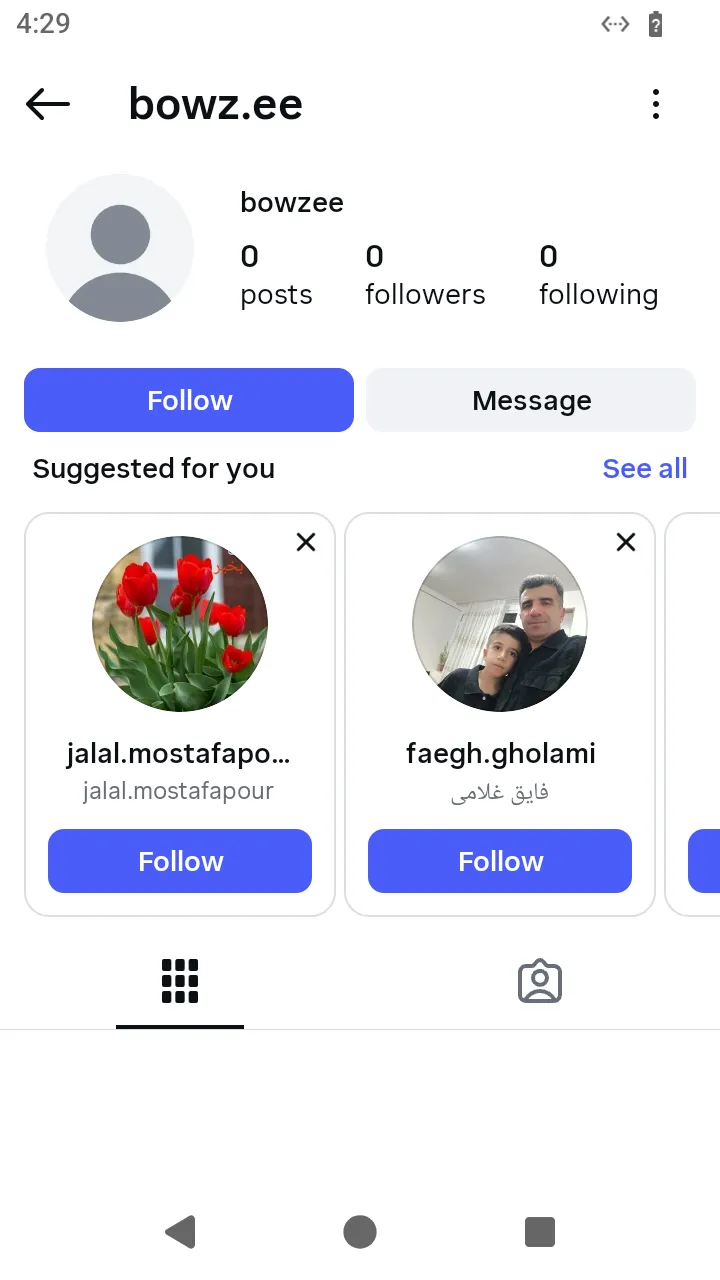 A profile with Follow and Message:
 follow() and openDirectThread().
ts
// Visit a profile: the first account the search finds, and what its profile shows.
const shown = await AndroidIgpapi.launch({
  checkpoint: saved,
  screen: FeedTimelineScreen,
  main: feed =>
    Effect.gen(function* () {
      const tab = yield* feed.openSearchTab();
      let typed = yield* tab.openSearchInput();
      typed = yield* typed.change('instagram');
      const results = yield* typed.search('instagram');
      const users = yield* results.openUsers();
      const first = users.results[0];
      if (first === undefined) return undefined;
      const profile = yield* first.openProfile();
      return {
        username: profile.data.username,
        isPrivate: profile.data.isPrivate,
        following: profile.data.following,
        tiles: profile.grid.length,
        suggested: profile.suggestedUsers.length,
      };
    }),
});
console.log(shown);
2. Follow, then visit a suggested user
The follow also reloads the suggested-users rail. The answer's suggested holds the fresh rows; open the next profile from one of them rather than from the visit's snapshot, so the profile is reached with the row's ranking token.
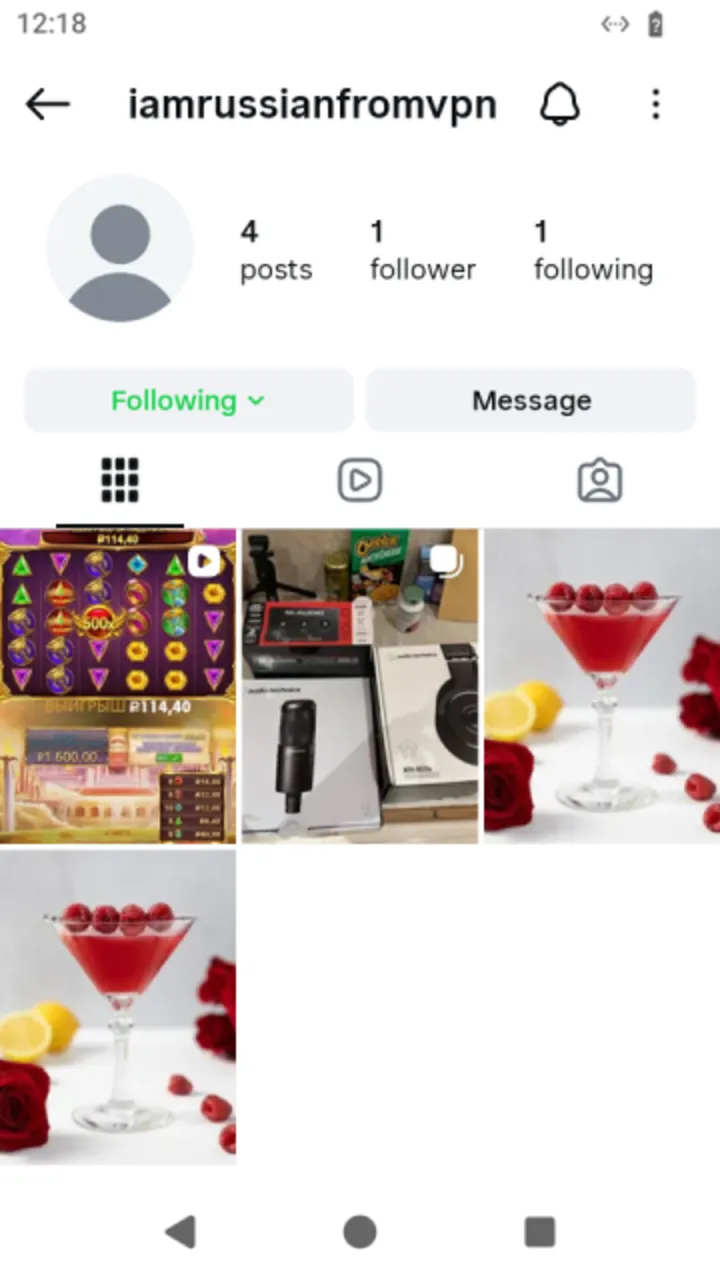 The profile after the follow: the button reads Following.
ts
// Follow a profile and open the user the refreshed suggested-users rail offers first.
const next = await AndroidIgpapi.launch({
  checkpoint: saved,
  screen: FeedTimelineScreen,
  main: feed =>
    Effect.gen(function* () {
      const tab = yield* feed.openSearchTab();
      let typed = yield* tab.openSearchInput();
      typed = yield* typed.change('instagram');
      const results = yield* typed.search('instagram');
      const users = yield* results.openUsers();
      const first = users.results[0];
      if (first === undefined) return undefined;
      const profile = yield* first.openProfile();
      // The handle is a snapshot: the answer carries the rail the follow refreshed.
      const answer = yield* profile.follow();
      const row = answer.suggested[0];
      if (row === undefined) return undefined;
      // The row carries the ranking token, so the next profile's follow sends it.
      const suggested = yield* row.openProfile();
      return suggested.data.username;
    }),
});
console.log(next);
3. Scroll the grid
The scroll is the person's action, not the profile's: the profile never asks for the second page by itself. A profile whose first page was the last answers no tiles.
ts
// Scroll the media grid down: the page after the one the visit loaded.
const page = await AndroidIgpapi.launch({
  checkpoint: saved,
  screen: FeedTimelineScreen,
  main: feed =>
    Effect.gen(function* () {
      const tab = yield* feed.openSearchTab();
      let typed = yield* tab.openSearchInput();
      typed = yield* typed.change('instagram');
      const results = yield* typed.search('instagram');
      const users = yield* results.openUsers();
      const first = users.results[0];
      if (first === undefined) return undefined;
      const profile = yield* first.openProfile();
      // The tiles of the next page, and where the page after it starts (absent on the last page).
      const more = yield* profile.scrollGrid();
      return more.media.length;
    }),
});
console.log(page);
4. Open a grid tile
The posts feed starts at the tapped tile, from the grid's own page, and sends no page request. It is a swipeable feed: current is the post in front, swipeToNext() moves to the next, and nextPage() sends the feed's own paging request.
 A grid tile opened: the posts feed, starting at that post.
ts
// Open a tile of the grid: the posts feed starts at that tile, then swipe to the next post.
const swiped = await AndroidIgpapi.launch({
  checkpoint: saved,
  screen: FeedTimelineScreen,
  main: feed =>
    Effect.gen(function* () {
      const tab = yield* feed.openSearchTab();
      let typed = yield* tab.openSearchInput();
      typed = yield* typed.change('instagram');
      const results = yield* typed.search('instagram');
      const users = yield* results.openUsers();
      const first = users.results[0];
      if (first === undefined) return undefined;
      const profile = yield* first.openProfile();
      const tile = profile.grid[0];
      if (tile === undefined) return undefined;
      const posts = yield* tile.open();
      // `current` is the tapped post; a swipe returns the post that comes in front.
      const second = yield* posts.swipeToNext();
      // Back returns to the grid.
      yield* posts.back();
      return { first: posts.current?.data.mediaId, second: second?.data.mediaId };
    }),
});
console.log(swiped);
5. Play a clip from the Reels tab
ts
// Open the Reels tab of a profile and play one of its clips in the Reels viewer.
const clip = await AndroidIgpapi.launch({
  checkpoint: saved,
  screen: FeedTimelineScreen,
  main: feed =>
    Effect.gen(function* () {
      const tab = yield* feed.openSearchTab();
      let typed = yield* tab.openSearchInput();
      typed = yield* typed.change('instagram');
      const results = yield* typed.search('instagram');
      const users = yield* results.openUsers();
      const first = users.results[0];
      if (first === undefined) return undefined;
      const profile = yield* first.openProfile();
      const reels = yield* profile.openReelsTab();
      const item = reels.clips[0];
      if (item === undefined) return undefined;
      // The viewer opens on the tab's whole list at this clip, with no stream request.
      const viewer = yield* item.open();
      return viewer.current?.key;
    }),
});
console.log(clip);
6. Send a message
ts
// Tap "Message" on a profile: the conversation with that user opens.
const conversation = await AndroidIgpapi.launch({
  checkpoint: saved,
  screen: FeedTimelineScreen,
  main: feed =>
    Effect.gen(function* () {
      const tab = yield* feed.openSearchTab();
      let typed = yield* tab.openSearchInput();
      typed = yield* typed.change('instagram');
      const results = yield* typed.search('instagram');
      const users = yield* results.openUsers();
      const first = users.results[0];
      if (first === undefined) return undefined;
      const profile = yield* first.openProfile();
      const thread = yield* profile.openDirectThread();
      return thread.id;
    }),
});
console.log(conversation);
7. Open your own profile
Your own profile takes no input: it is the session's account.
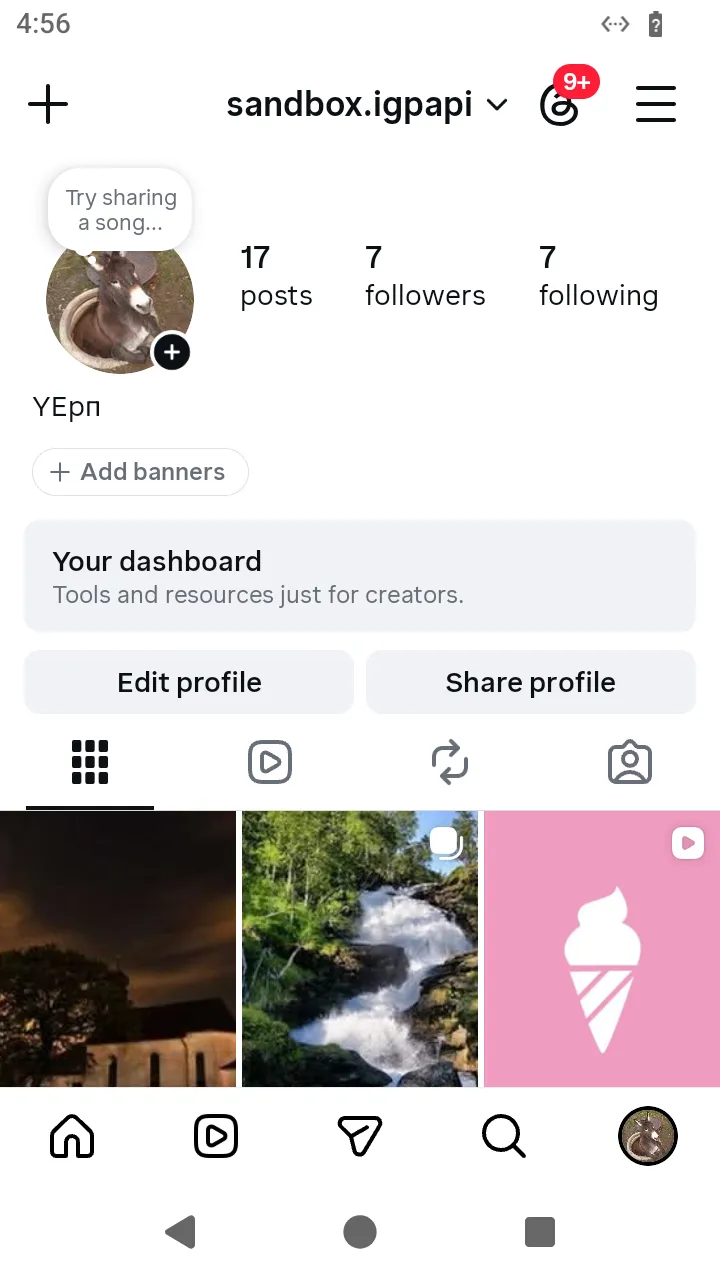 Your own profile tab:
 openEditProfile() is its Edit profile button.
ts
// Open your own profile from the bottom bar and read it.
const me = await AndroidIgpapi.launch({
  checkpoint: saved,
  screen: FeedTimelineScreen,
  main: feed =>
    Effect.gen(function* () {
      // The tab edge lands on your own profile, the tab's root.
      const tab = yield* feed.openMyProfileTab();
      return tab.data.userId;
    }),
});
console.log(me);
8. Change your bio
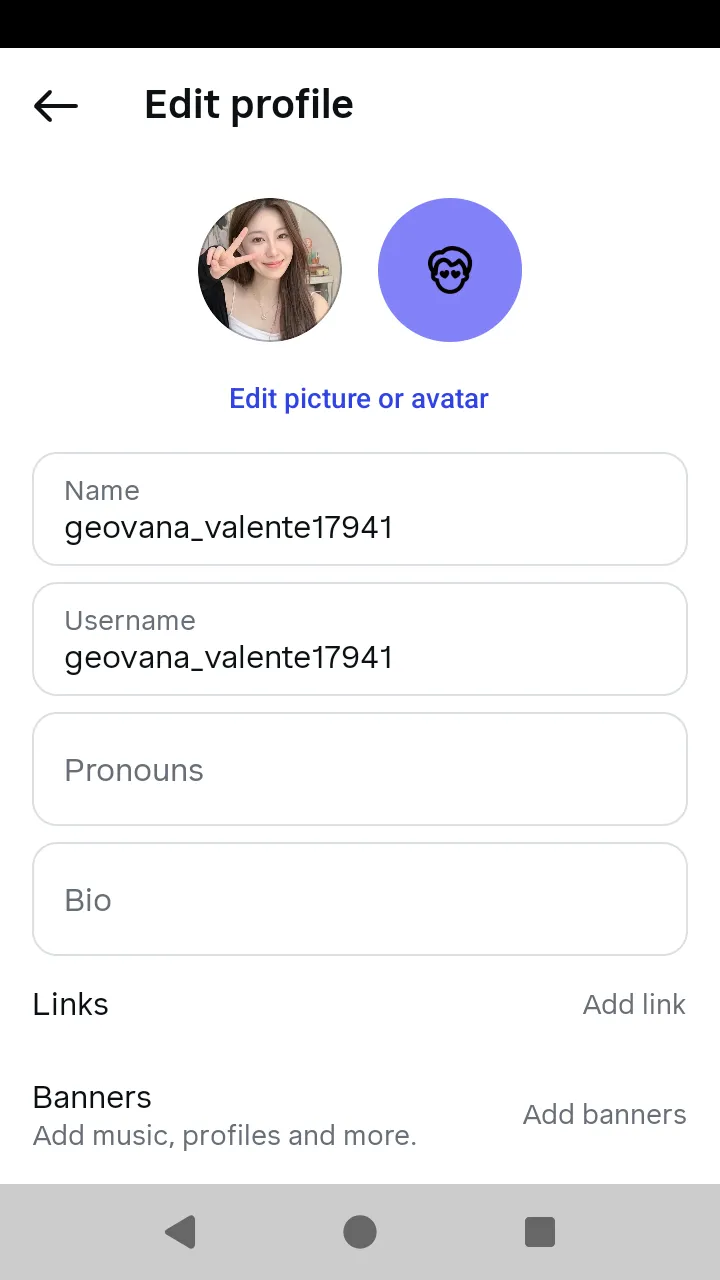 The profile editor:
 openBio(), openUsername() and openLinks().
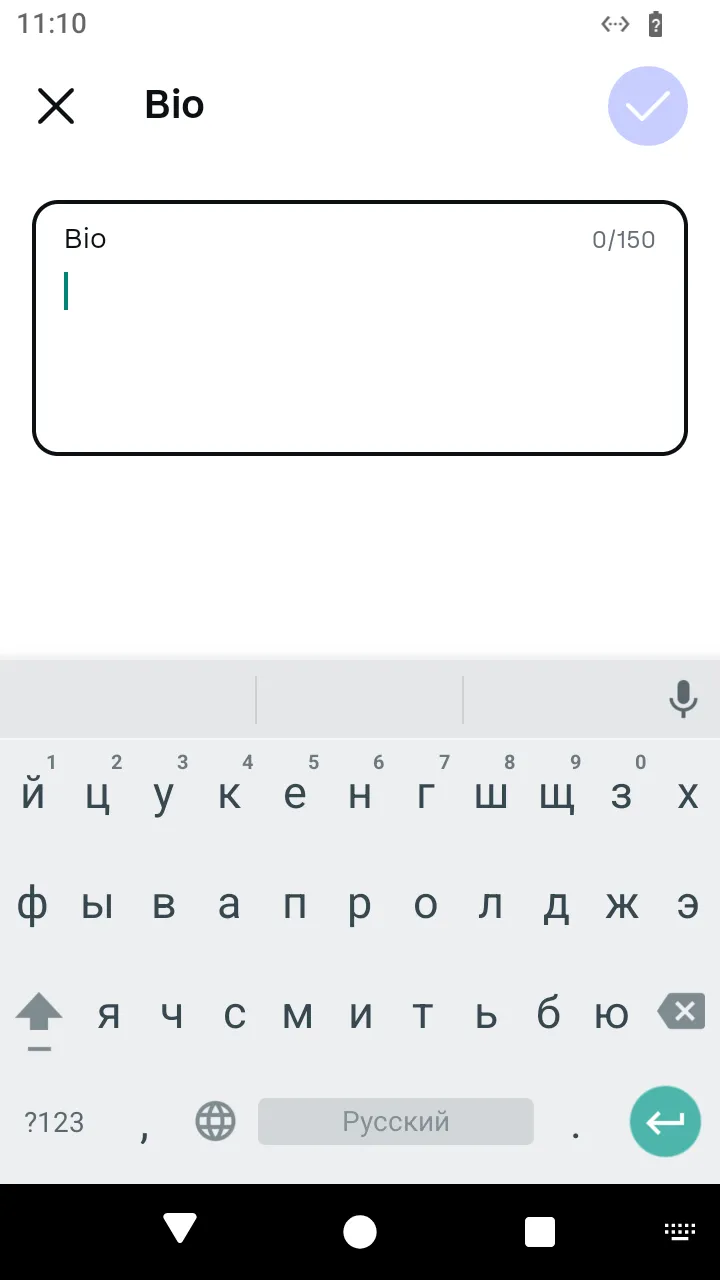 The bio editor:
 changeBio(text).
ts
// Change your bio: the editor sends one request, on Done, and the app pops back to the editor.
const bioEditor = await AndroidIgpapi.launch({
  checkpoint: saved,
  screen: FeedTimelineScreen,
  main: feed =>
    Effect.gen(function* () {
      const tab = yield* feed.openMyProfileTab();
      const editor = yield* tab.openEditProfile();
      const bio = yield* editor.openBio();
      yield* bio.changeBio('Hello from igpapi');
      return yield* bio.back();
    }),
});
console.log(bioEditor?.id);
9. Change your username
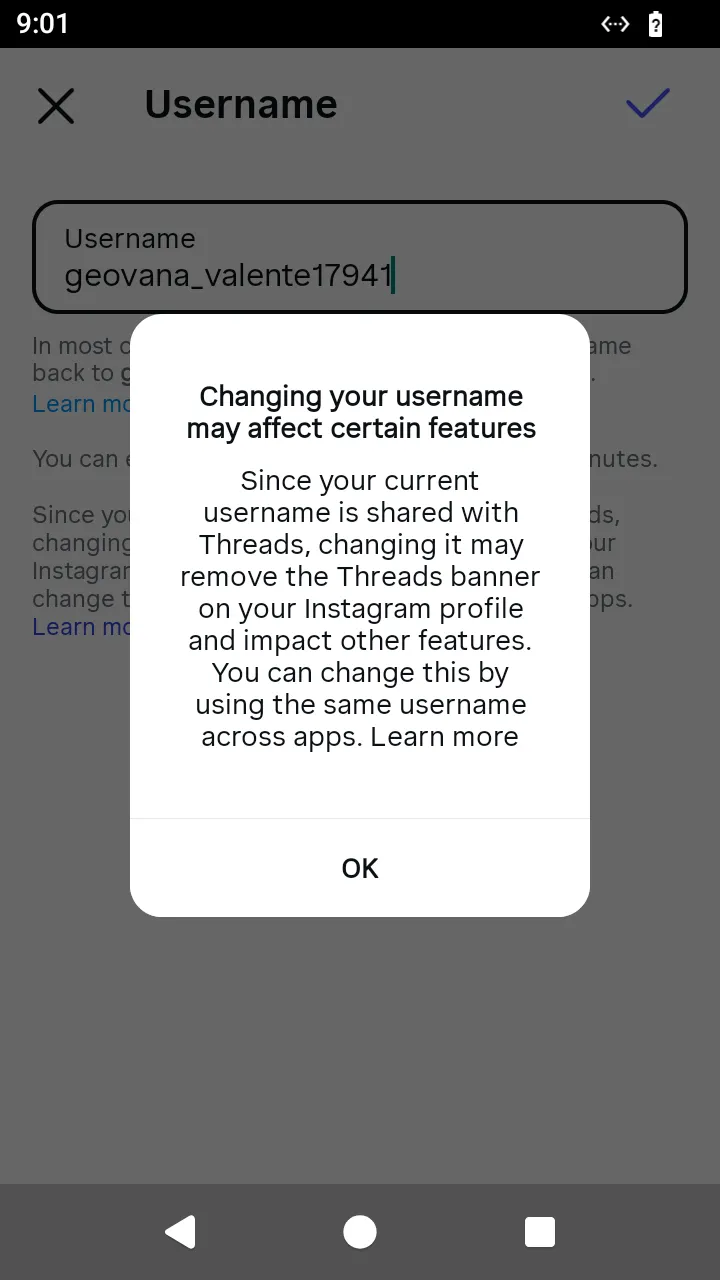 The app warns before a username change;
 changeUsername(name) sends it.
ts
// Change your username: the editor asks the server while the person types, then sends the change.
const renamed = await AndroidIgpapi.launch({
  checkpoint: saved,
  screen: FeedTimelineScreen,
  main: feed =>
    Effect.gen(function* () {
      const tab = yield* feed.openMyProfileTab();
      const editor = yield* tab.openEditProfile();
      const field = yield* editor.openUsername();
      const checked = yield* field.typeUsername('new.name');
      if (!checked.data.check?.available) return undefined;
      const changed = yield* checked.changeUsername('new.name');
      return changed.user.username;
    }),
});
console.log(renamed);
10. Add a website link
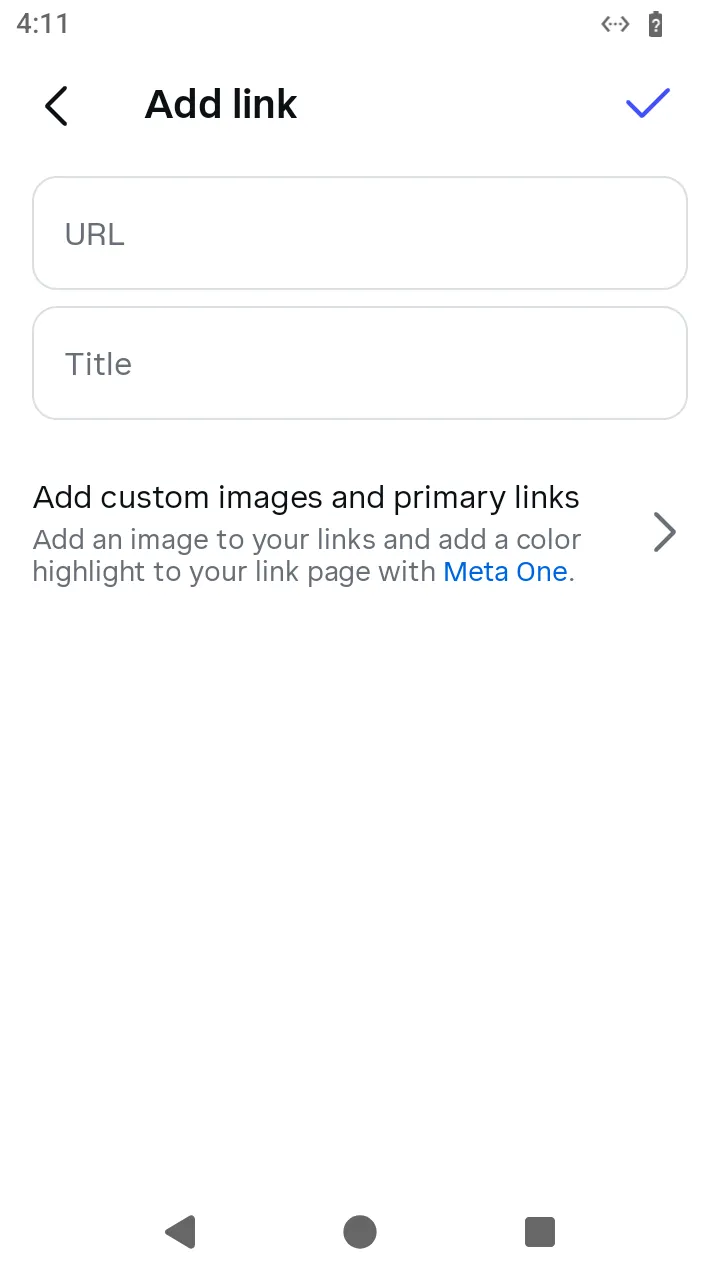 The add-link form:
 addLink(url, title).
ts
// Add a website link to your profile from the links list.
const links = await AndroidIgpapi.launch({
  checkpoint: saved,
  screen: FeedTimelineScreen,
  main: feed =>
    Effect.gen(function* () {
      const tab = yield* feed.openMyProfileTab();
      const editor = yield* tab.openEditProfile();
      const list = yield* editor.openLinks();
      const form = yield* list.addLink();
      yield* form.addLink('https://example.com', 'My site');
      const listAgain = yield* form.back();
      if (EditProfileLinksScreen.is(listAgain)) yield* listAgain.done();
      return 'added';
    }),
});
console.log(links);
11. Go back to the feed
ts
// Go back to the feed from your profile with the bottom bar.
const home = await AndroidIgpapi.launch({
  checkpoint: saved,
  screen: FeedTimelineScreen,
  main: feed =>
    Effect.gen(function* () {
      const tab = yield* feed.openMyProfileTab();
      const back = yield* tab.openFeedTab();
      return back.id;
    }),
});
console.log(home);