Appearance
Likes, reposts and comments
What the person sees. A post or a reel on the screen they are looking at, and the comments sheet they can open over it.
What you do. Like it and take the like back, repost it and take the repost back, and comment on it. The actions are methods of the screen the person is on (FeedTimelineScreen, the profile's posts feed, PostOpenedFromLinkScreen, ReelsViewerScreen) and of the comments sheet they open (MediaCommentsScreen); each is one Effect, and the handle you hold is a snapshot of the screen it came from.
Every example starts from session.json, the session Your first program saved, and names the screen it expects (screen: FeedTimelineScreen). The examples show the success path: errors are answered as in Errors, and challenges by your otherwise constant (Challenges: answer them once with otherwise). Where an example searches for instagram, search for an account of your own. The post screen is PostOpenedFromLinkScreen: it is the post that a feed post's open() opens.
The matrix
| Scenario | Starts on | Actions |
|---|---|---|
| Like a post in the feed timeline | feed timeline | like |
| Like a carousel child and take the like back | feed timeline → Following | openFollowing, swipeToSlide, likeCarouselChild, unlikeCarouselChild |
| Open a post, like it, repost it, comment on it | feed timeline → post | open, like, repost, openComments, comment |
| Like and unlike a post of a profile's posts feed | profile → posts feed | like, unlike |
| Repost a post and take the repost back | profile → posts feed | repost, removeRepost |
| Comment on a post of a profile's posts feed | profile → posts feed | openComments, comment |
| Comment on the slide of a carousel post | profile → posts feed | swipeToSlide, openComments, comment |
| Like and unlike a reel in the Reels tab | feed timeline → Reels tab | like, unlike |
| Comment on a reel | feed timeline → Reels tab | openComments, comment |
| Like and unlike a clip of a profile's Reels tab | profile → Reels tab → viewer | like, unlike |
What this does not offer. What a screen does not offer, it does not have a method for. To take back a like on a post you liked from the home feed, open the author's profile and unlike it there: the feed's post and the post screen have no unlike and no removeRepost (only a slide's like is taken back there, by unlikeCarouselChild). The Reels viewer has no repost. The comments sheet offers comment only: replying to a comment, liking a comment and deleting a comment are not offered.
The scenarios
Like a post in the feed timeline
Starts on: the feed timeline.
post.like() on a timeline post. Instagram learns where in the feed you liked it, as from the app, so you supply nothing but the call.
ts
import { AndroidIgpapi, FeedTimelinePostItem, FeedTimelineScreen } from '@igpapi/android';
import { Effect } from 'effect';
import { readFile } from 'node:fs/promises';

const saved = JSON.parse(await readFile('session.json', 'utf8'));

await AndroidIgpapi.launch({
  checkpoint: saved,
  screen: FeedTimelineScreen,
  main: feed =>
    Effect.gen(function* () {
      const post = feed.items.find(item => FeedTimelinePostItem.is(item));
      if (post === undefined) return;
      // Instagram learns where in the feed you liked it, as from the app.
      yield* post.like();
    }),
});
Like a carousel child, and take the like back
Starts on: the feed timeline (the Following filter, or the feed itself).
A carousel is one post with several slides, and the app likes the slide the person has in front of them. post.swipeToSlide(index) is the swipe to a slide by its zero-based index; nothing is sent, and the answer is the post with that slide in front. likeCarouselChild() likes the slide in front (the first when they never swiped) and unlikeCarouselChild() takes the like back. A post that is no carousel, or holds no such slide, fails with the typed CarouselSlideNotFoundError before any request. Carousel posts owns the rules of slides. See the feed for the Following filter.
ts
import { AndroidIgpapi, FeedTimelinePostItem, FeedTimelineScreen } from '@igpapi/android';
import { Effect } from 'effect';
import { readFile } from 'node:fs/promises';

const saved = JSON.parse(await readFile('session.json', 'utf8'));

await AndroidIgpapi.launch({
  checkpoint: saved,
  screen: FeedTimelineScreen,
  main: feed =>
    Effect.gen(function* () {
      // The home tab's `Following` filter is a screen pushed over the feed.
      const following = yield* feed.openFollowing();
      const carousel = following.items.find(
        item => FeedTimelinePostItem.is(item) && (item.data.media.carousel_media?.length ?? 0) > 1,
      );
      if (carousel === undefined || !FeedTimelinePostItem.is(carousel)) return;
      // The person swipes to the second slide; the answer is the post with that slide in front.
      const swiped = yield* carousel.swipeToSlide(1);
      yield* swiped.likeCarouselChild();
      yield* swiped.unlikeCarouselChild();
    }),
});
Open a post, like it, repost it and comment on it
Starts on: the feed timeline.
entry.open() opens the post full screen (it reads the media), then like(), repost(text?) (the like and the note, both on the same carousel slide; the call returns the note and its tracking token) and openComments(options), which opens the comments sheet over the post. comments.back() closes the sheet.
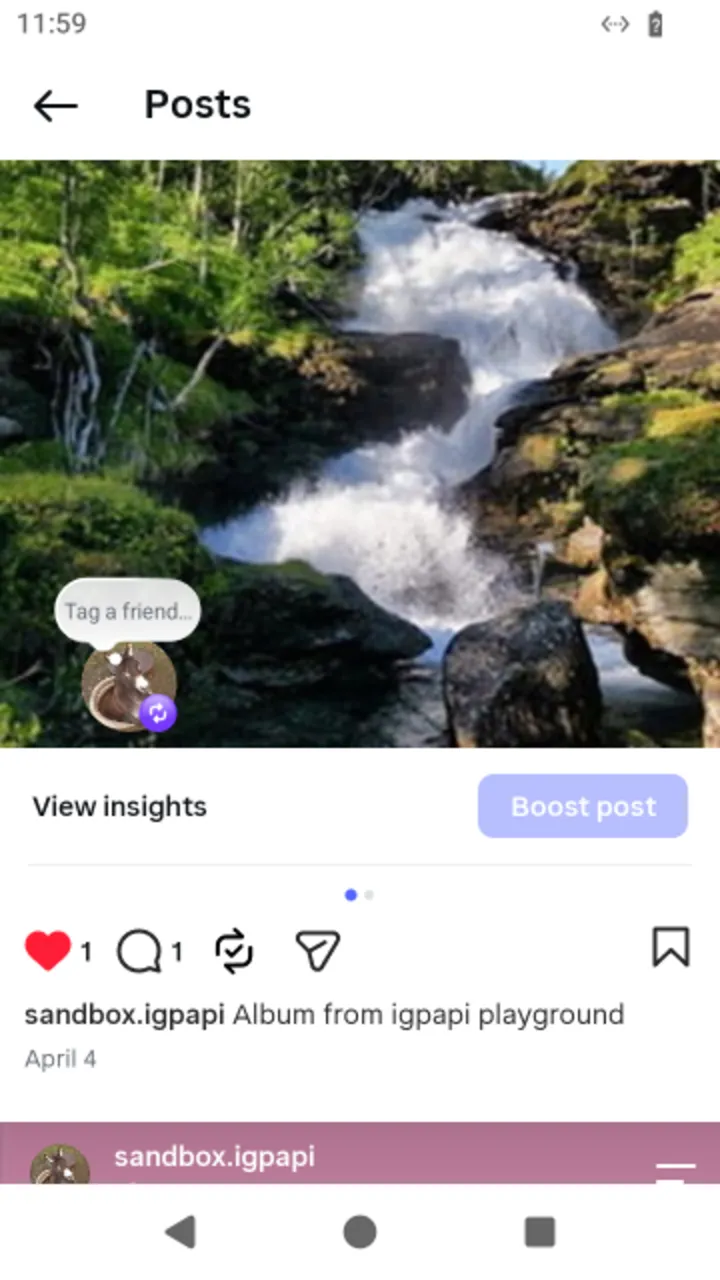 The post screen
 item.open() opens.
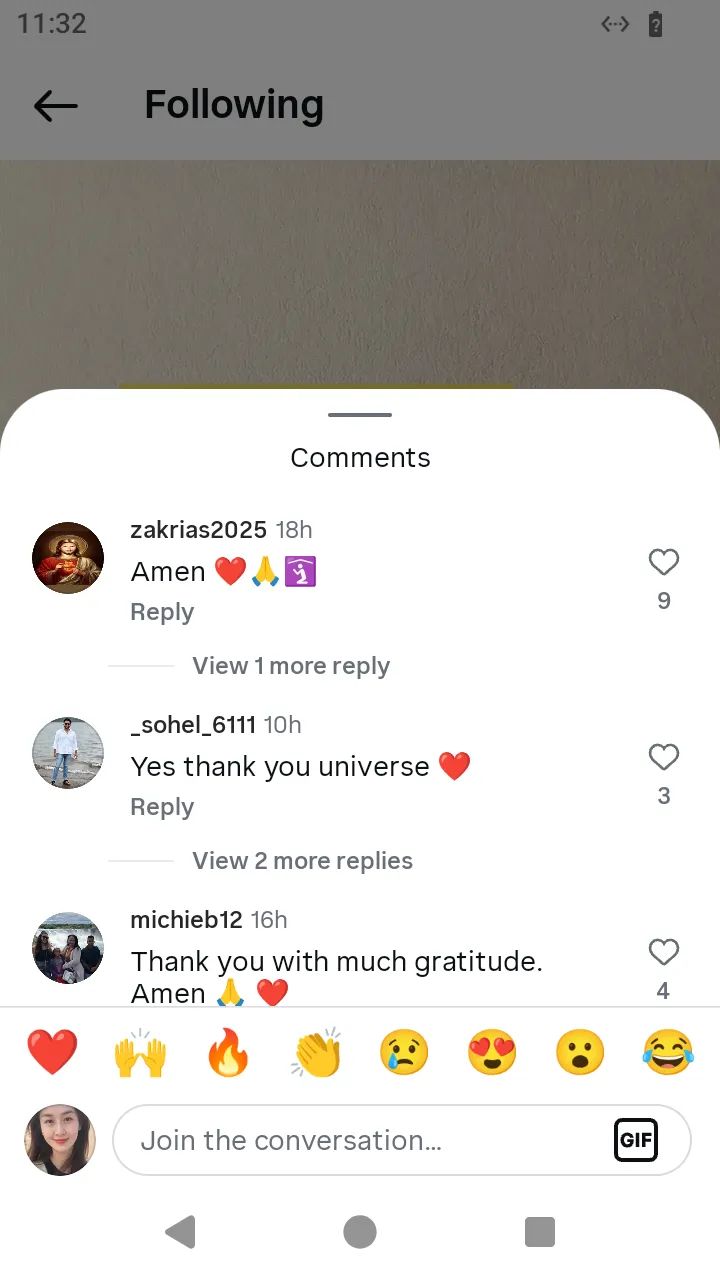 The comments sheet over the post:
 comment(text).
ts
import { AndroidIgpapi, FeedTimelinePostItem, FeedTimelineScreen } from '@igpapi/android';
import { Effect } from 'effect';
import { readFile } from 'node:fs/promises';

const saved = JSON.parse(await readFile('session.json', 'utf8'));

await AndroidIgpapi.launch({
  checkpoint: saved,
  screen: FeedTimelineScreen,
  main: feed =>
    Effect.gen(function* () {
      const entry = feed.items.find(item => FeedTimelinePostItem.is(item));
      if (entry === undefined) return;

      // The post opens full screen and reads the media.
      const post = yield* entry.open();
      yield* post.like();
      // The repost is the like and the note; the text rides in the note.
      const { note } = yield* post.repost('Worth a look');
      void note;

      // The comments sheet opens over the post and takes the focus.
      const comments = yield* post.openComments({});
      yield* comments.comment('Nice one');
      yield* comments.back();
    }),
});
Like and unlike a post of a profile's posts feed
Starts on: the profile found by search, then its posts feed (a grid tile opens it).
Every item of the posts feed likes (like()) and unlikes (unlike()), whether the item is a video, a photo or a carousel. The call returns Instagram's answer under raw.
ts
import { AndroidIgpapi, FeedTimelineScreen, isSearchInputUserResult } from '@igpapi/android';
import { Effect } from 'effect';
import { readFile } from 'node:fs/promises';

const saved = JSON.parse(await readFile('session.json', 'utf8'));

await AndroidIgpapi.launch({
  checkpoint: saved,
  screen: FeedTimelineScreen,
  main: feed =>
    Effect.gen(function* () {
      const explore = yield* feed.openSearchTab();

      // Type a name into the search field and open the user it finds.
      const field = yield* explore.openSearchInput();
      const typed = yield* field.change('instagram');
      const user = typed.results.find(result => isSearchInputUserResult(result));
      if (user === undefined) return;
      const profile = yield* user.openProfile();

      // A grid tile opens the profile's posts feed on that post.
      const tile = profile.grid[0];
      if (tile === undefined) return;
      const postsFeed = yield* tile.open();
      const item = postsFeed.items[0];
      if (item === undefined) return;

      // The item's own like, and its other direction.
      yield* item.like();
      yield* item.unlike();
    }),
});
Repost a post of a profile's posts feed and take the repost back
Starts on: the profile's posts feed.
repost(text?) sends the repost note alone (the feed's like is the item's own action). removeRepost() takes the repost back; its answer is under raw as well.
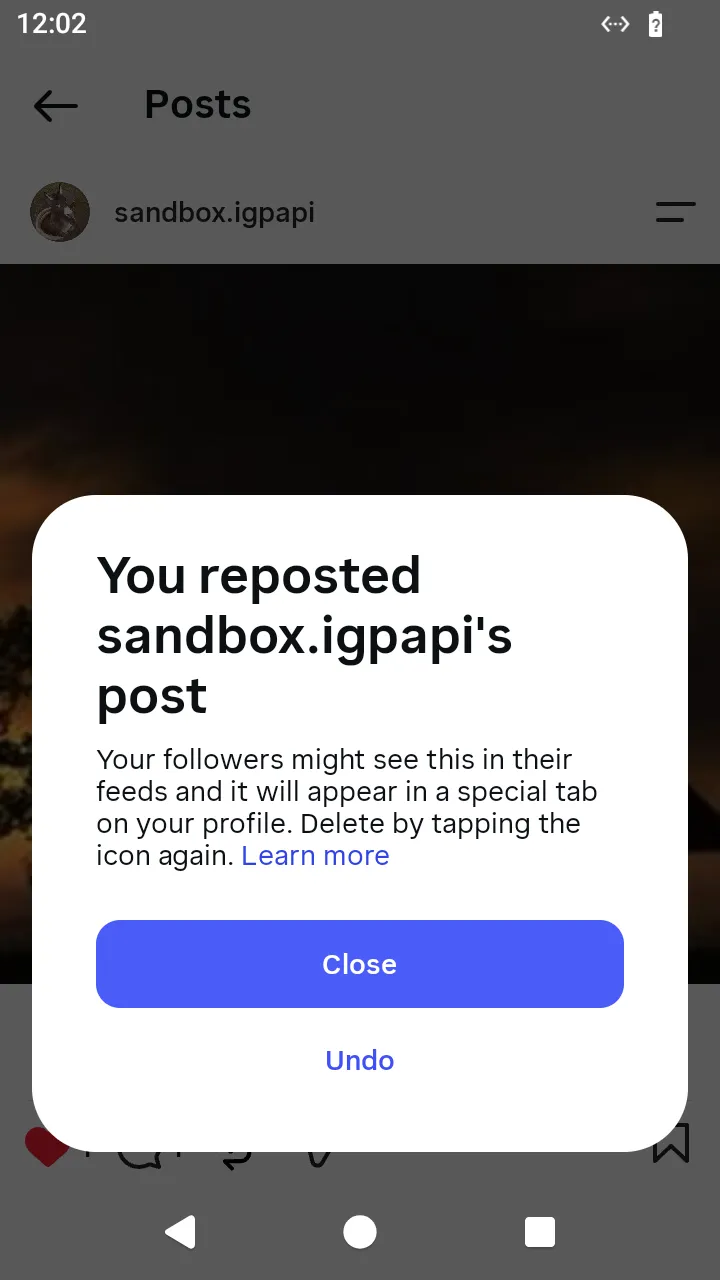 After a repost the app offers Undo;
 removeRepost() is that Undo.
ts
import { AndroidIgpapi, FeedTimelineScreen, isSearchInputUserResult } from '@igpapi/android';
import { Effect } from 'effect';
import { readFile } from 'node:fs/promises';

const saved = JSON.parse(await readFile('session.json', 'utf8'));

await AndroidIgpapi.launch({
  checkpoint: saved,
  screen: FeedTimelineScreen,
  main: feed =>
    Effect.gen(function* () {
      const explore = yield* feed.openSearchTab();
      const field = yield* explore.openSearchInput();
      const typed = yield* field.change('instagram');
      const user = typed.results.find(result => isSearchInputUserResult(result));
      if (user === undefined) return;
      const profile = yield* user.openProfile();
      const tile = profile.grid[0];
      if (tile === undefined) return;
      const postsFeed = yield* tile.open();
      const item = postsFeed.items[0];
      if (item === undefined) return;

      // The repost is the note alone: the item's like is its own action.
      yield* item.repost('Worth a look');
      // Takes the person's repost of this post back.
      yield* item.removeRepost();
    }),
});
Comment on a post of a profile's posts feed
Starts on: the profile's posts feed.
openComments(options) opens the comments sheet over the feed item; comment(text, { commentCreationKey }) sends the offensive-comment check and then the comment. The creation key deduplicates a retry; the sheet makes one when you pass none.
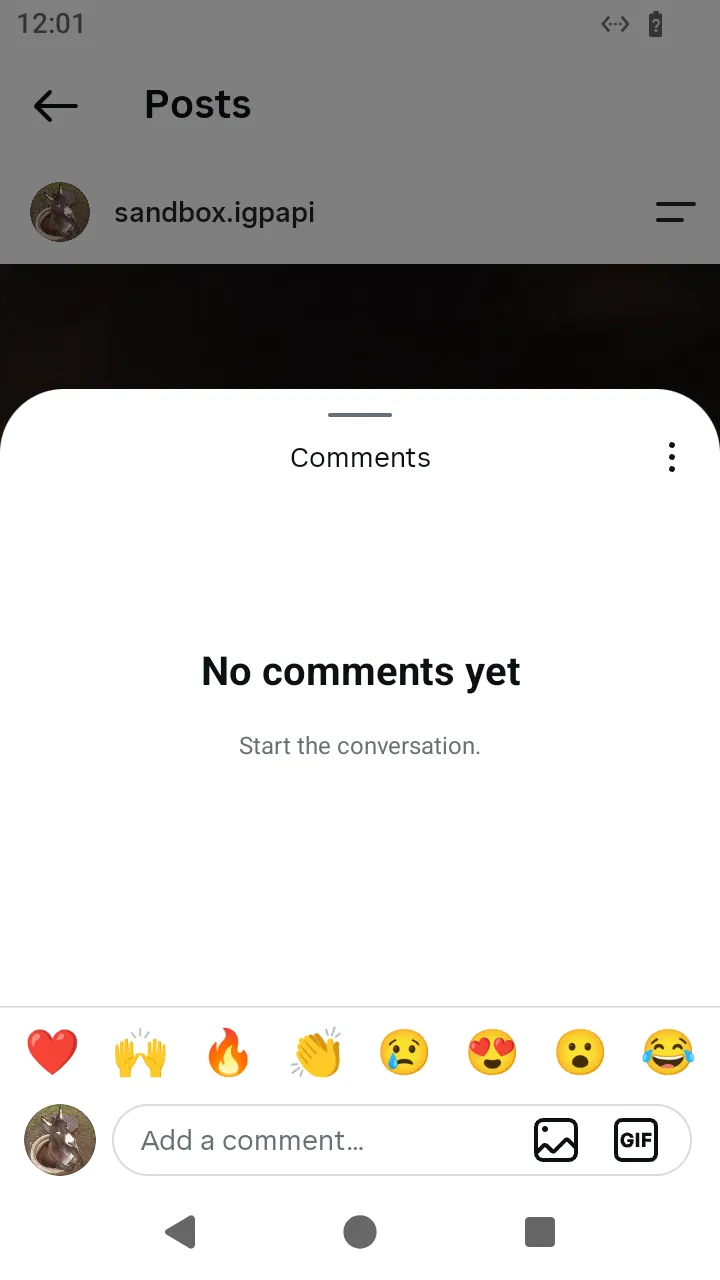 An empty comments sheet.
ts
import { AndroidIgpapi, FeedTimelineScreen, isSearchInputUserResult } from '@igpapi/android';
import { Effect } from 'effect';
import { readFile } from 'node:fs/promises';

const saved = JSON.parse(await readFile('session.json', 'utf8'));

await AndroidIgpapi.launch({
  checkpoint: saved,
  screen: FeedTimelineScreen,
  main: feed =>
    Effect.gen(function* () {
      const explore = yield* feed.openSearchTab();
      const field = yield* explore.openSearchInput();
      const typed = yield* field.change('instagram');
      const user = typed.results.find(result => isSearchInputUserResult(result));
      if (user === undefined) return;
      const profile = yield* user.openProfile();
      const tile = profile.grid[0];
      if (tile === undefined) return;
      const postsFeed = yield* tile.open();
      const item = postsFeed.items[0];
      if (item === undefined) return;

      // The comments sheet opens over the posts feed: its opening page is
      // fetched, then the sheet takes the focus.
      const comments = yield* item.openComments({});
      // The creation key identifies the comment: sending again with the same
      // key does not post it twice. Without a key the sheet makes one.
      const { raw } = yield* comments.comment('Nice one', { commentCreationKey: crypto.randomUUID() });
      void raw;
      // Close the sheet; the posts feed is in focus again.
      yield* comments.back();
    }),
});
Comment on the slide of a carousel post
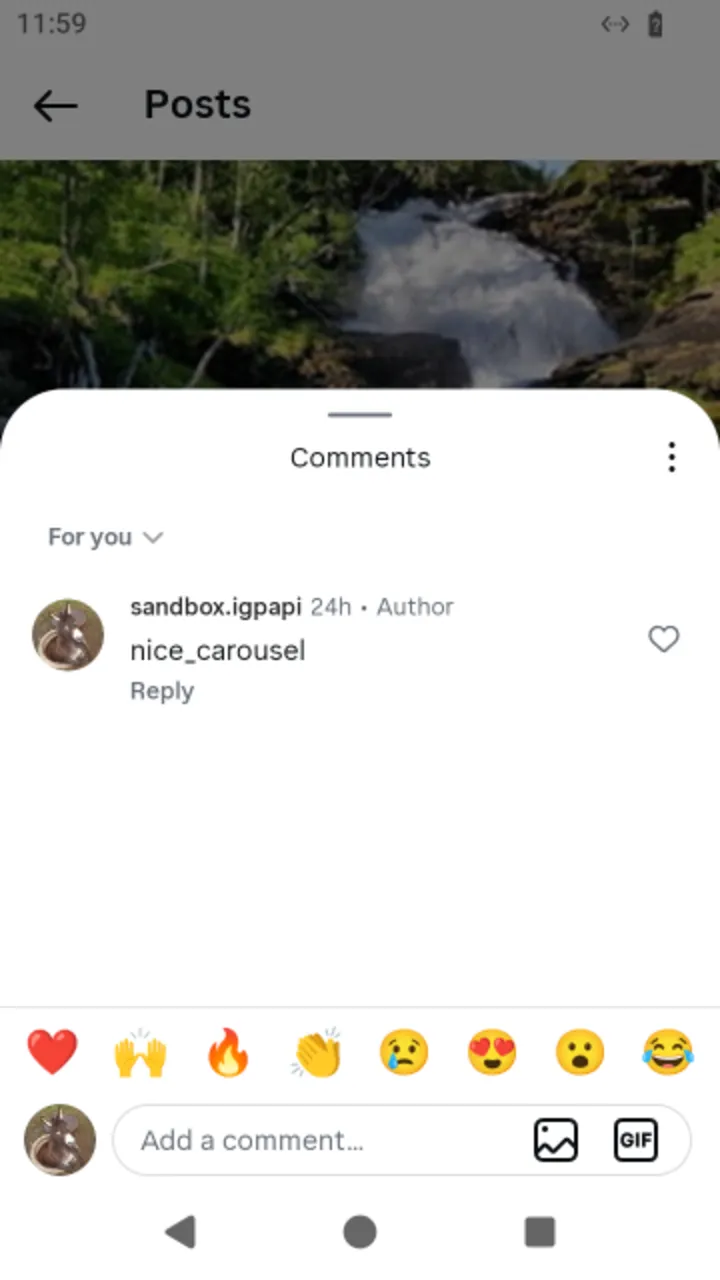 The comments sheet on a carousel post, with one comment.
Starts on: the profile's posts feed.
A carousel post of the feed has swipeToSlide(index): the person's swipe to a slide. The answer is the post shown again with that slide in front, and openComments({}) on it opens the sheet on that slide, the first when they never swiped. The sheet's slide id comes from the post's answer, not from you. The post screen has the same swipeToSlide, and its like, repost and sheet act on the slide in front. See the slide of a carousel post for the example.
Like and unlike a reel in the Reels tab
Starts on: the feed timeline, then its Reels tab.
openReelsTab() always gives back the viewer, the tab's root; a comments sheet left open over it is closed, as the app does on a tap of the selected tab. The reel in front is viewer.current; its like() and unlike() carry the viewer's chaining context and the fraction of the clip it has been watched.
ts
import { AndroidIgpapi, FeedTimelineScreen } from '@igpapi/android';
import { Effect } from 'effect';
import { readFile } from 'node:fs/promises';

const saved = JSON.parse(await readFile('session.json', 'utf8'));

await AndroidIgpapi.launch({
  checkpoint: saved,
  screen: FeedTimelineScreen,
  main: feed =>
    Effect.gen(function* () {
      // The Reels tab always opens on the viewer: a comments sheet left open
      // over it is closed, as the app does on a tap of the selected tab.
      const viewer = yield* feed.openReelsTab();
      const reel = viewer.current;
      if (reel === undefined) return;

      // The like measures the watched fraction from the time the reel has been
      // in front; the unlike is its other direction.
      yield* reel.like();
      yield* reel.unlike();
    }),
});
Comment on a reel
Starts on: the feed timeline, then its Reels tab.
openComments(options) opens the sheet over the viewer; the viewer stays in the chain, and comments.back() returns the focus to it.
ts
import { AndroidIgpapi, FeedTimelineScreen } from '@igpapi/android';
import { Effect } from 'effect';
import { readFile } from 'node:fs/promises';

const saved = JSON.parse(await readFile('session.json', 'utf8'));

await AndroidIgpapi.launch({
  checkpoint: saved,
  screen: FeedTimelineScreen,
  main: feed =>
    Effect.gen(function* () {
      const viewer = yield* feed.openReelsTab();
      const reel = viewer.current;
      if (reel === undefined) return;

      // The sheet opens over the viewer (the viewer's flow runs on), fetches its
      // opening page and takes the focus.
      const comments = yield* reel.openComments({});
      yield* comments.comment('Great reel!');
      // Close the sheet; the viewer is in focus again.
      yield* comments.back();
    }),
});
Like and unlike a clip of a profile's Reels tab
Starts on: the profile found by search, then its Reels tab.
A clip of the tab opens the viewer over the tab's list; the viewer's items like and unlike as in the Reels tab.
ts
import { AndroidIgpapi, FeedTimelineScreen, isSearchInputUserResult } from '@igpapi/android';
import { Effect } from 'effect';
import { readFile } from 'node:fs/promises';

const saved = JSON.parse(await readFile('session.json', 'utf8'));

await AndroidIgpapi.launch({
  checkpoint: saved,
  screen: FeedTimelineScreen,
  main: feed =>
    Effect.gen(function* () {
      const explore = yield* feed.openSearchTab();
      const field = yield* explore.openSearchInput();
      const typed = yield* field.change('instagram');
      const user = typed.results.find(result => isSearchInputUserResult(result));
      if (user === undefined) return;
      const profile = yield* user.openProfile();

      // A clip of the profile's Reels tab opens the viewer over the tab's list.
      const reelsTab = yield* profile.openReelsTab();
      const clip = reelsTab.clips[0];
      if (clip === undefined) return;
      const viewer = yield* clip.open();
      const reel = viewer.items[0];
      if (reel === undefined) return;

      yield* reel.unlike();
      yield* reel.like();
    }),
});