Appearance
A post
What the person sees. The POST mode of the create flow. They pick photos in the gallery picker (gallery), edit them, write a caption on "New post" and share. A carousel is several files picked together. A video picked in the post mode is published as a Reel: the editor and the share sheet are the reel's (reel), whichever mode the person came from.
What you do. openCreation('post') opens the gallery picker. A pick opens PostingPostEditScreen (the editor); its next() opens "New post" (PostingNewPostScreen), whose share(options?) uploads what the editor prepared and configures the post. The children of a carousel start uploading from the editor's Next while the editor is still in front.
What you get. share(options?) answers the published post: { id, status, mediaIds, code? }.
idis the post's id, andmediaIdsare its media ids.statusisCOMPLETED, orPENDINGwhile Instagram still processes the post.codeis the short code of the published item itself, the value inhttps://www.instagram.com/p/<code>/(a Reel:/reel/<code>/). It is present when Instagram's answer carries it, and absent otherwise: a post that is stillPENDINGoften has none. A carousel'scodeis the carousel's own, never its first slide's.
A video picked in the post mode answers the same shape.
The share options are what the person decides on the sheet: PostingNewPostOptions, that is the caption, the comment and like-count switches, the alt text, the location, usertags, productTags and coauthors. To invite other accounts as co-authors, pass coauthors in the options: share({ caption, coauthors: [...] }). The list holds the accounts' ids, as strings or numbers, and the Simulator sends it the same way whether the post is a single photo or a carousel. A single photo carries them at the top level, and a carousel puts its tags on each child.
Each example assumes the posting setup; errors and challenges are answered as the Publishing page says.
The scenarios
1. Publish a photo
Starts on: the feed.
The person taps the create button in the post mode, picks one photo in the grid, taps Next in the editor and Share on "New post". The actions: openCreation('post') opens the gallery picker. pickPhoto() reads the file's format and dimensions, puts its bytes in the process's media pool and opens the editor. The editor's next() opens "New post", whose share(options?) uploads the photo, configures the post and answers it.
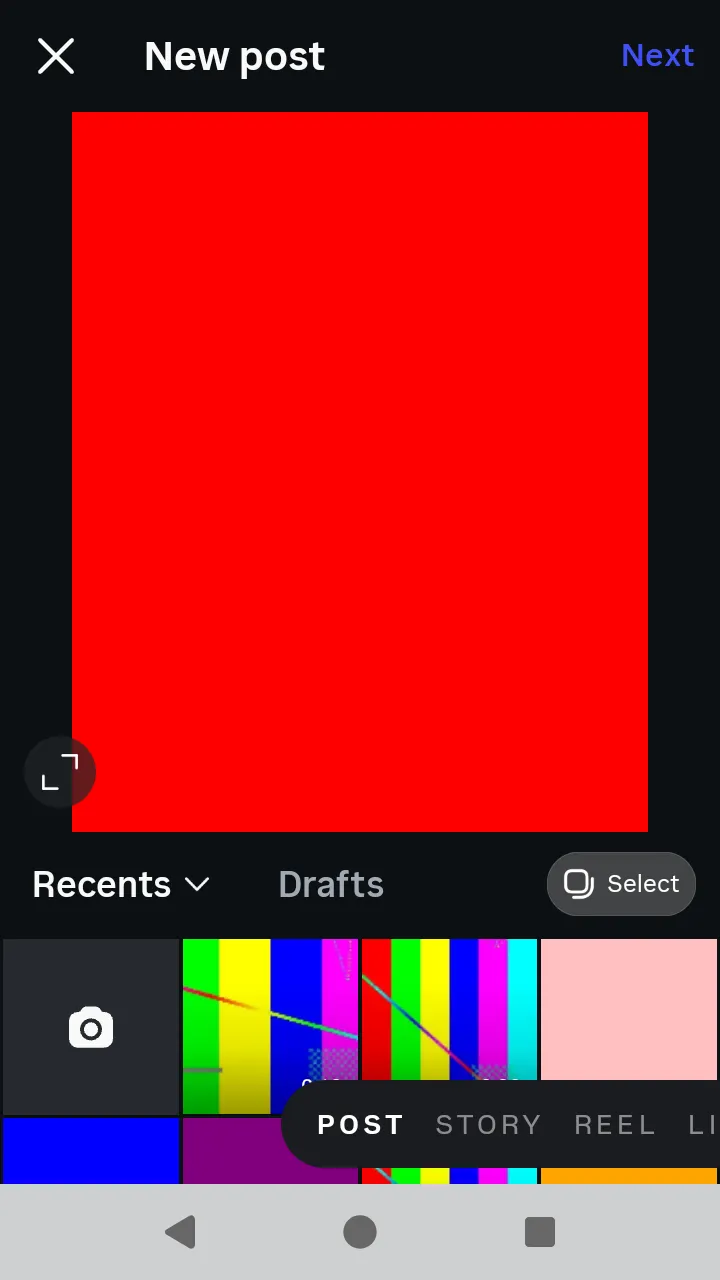 The gallery picker:
 pickPhoto, or pickPhotos in Select mode.
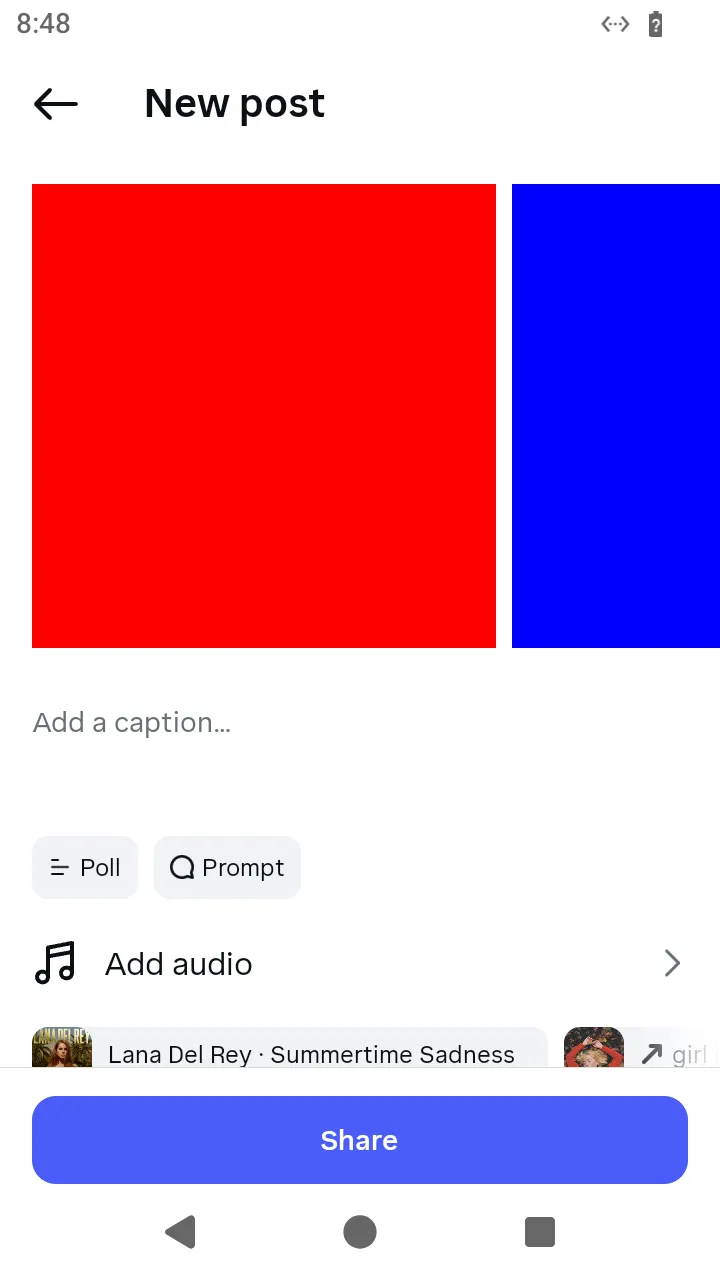 "New post" with the Share button:
 share({ caption }). Adding audio to a post is not offered.
ts
// Publish a photo: the feed's create button in the post mode, the grid's single pick, the editor's Next and the post's Share.
const photoBytes = await readFile('photo.png');
const photoPost = await AndroidIgpapi.launch({
checkpoint: saved,
screen: FeedTimelineScreen,
main: feed =>
Effect.gen(function* () {
const picker = yield* feed.openCreation('post');
// The bytes go to the process's media pool; the editor receives their descriptor.
const editor = yield* picker.pickPhoto({ file: photoBytes });
const post = yield* editor.next();
const published = yield* post.share({ caption: 'Worth a look' });
// The published post carries the media's short code when the configure answer named one.
return { id: published.id, code: published.code };
}),
});
console.log(photoPost);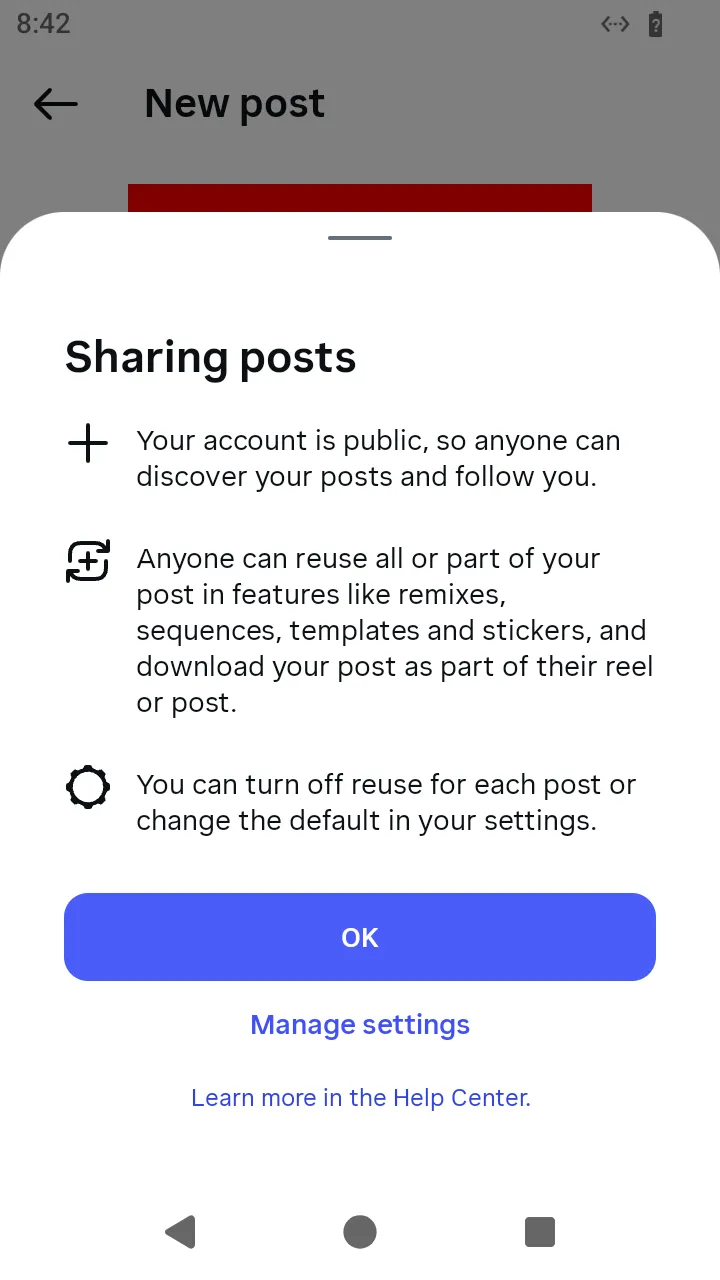 The notice the app shows on the first share; your program does not answer it.
2. Publish a carousel
Starts on: the feed.
The person turns on the grid's Select mode and picks several photos. The actions: pickPhotos() takes at least one photo by type, and a carousel's children start uploading from the editor's Next while the editor is still in front. The share sheet is the photo post's, and share() names no photo of its own — it publishes the children the editor uploaded.
ts
// Publish a carousel: the grid's Select mode picks several photos, and the editor and Share are the photo post's.
const firstPhoto = await readFile('first.png');
const secondPhoto = await readFile('second.png');
const carouselPost = await AndroidIgpapi.launch({
  checkpoint: saved,
  screen: FeedTimelineScreen,
  main: feed =>
    Effect.gen(function* () {
      const picker = yield* feed.openCreation('post');
      // The selection takes at least one photo by type; a carousel's children upload from the editor's Next.
      const editor = yield* picker.pickPhotos([{ file: firstPhoto }, { file: secondPhoto }]);
      const post = yield* editor.next();
      const published = yield* post.share({ caption: 'Two from the trip' });
      return published.mediaIds;
    }),
});
console.log(carouselPost);
3. Publish a carousel with a video
Starts on: the feed.
The person picks a photo and a video together in the Select mode. The actions: pickMedia() reads each file's kind from its bytes and opens the editor. The editor's Next uploads the children (a photo as the encoded WebP, a video encoded into the carousel's square frame with its poster frame), and Share configures the post naming both kinds.
ts
// Publish a carousel with a video child: the grid's Select mode picks a photo and a video together.
const mixPhoto = await readFile('photo.png');
const mixVideo = await readFile('video.mp4');
const mixedPost = await AndroidIgpapi.launch({
  checkpoint: saved,
  screen: FeedTimelineScreen,
  main: feed =>
    Effect.gen(function* () {
      const picker = yield* feed.openCreation('post');
      // The Select mode takes photos and videos together; each file's kind is read from its bytes.
      const editor = yield* picker.pickMedia([{ file: mixPhoto }, { file: mixVideo }]);
      // Next uploads the children (the video through its slot and a poster frame); Share configures both.
      const post = yield* editor.next();
      const published = yield* post.share({ caption: 'A photo and a clip' });
      return published.mediaIds;
    }),
});
console.log(mixedPost);
4. Publish a video picked in the post mode
Starts on: the feed.
The person picks a video in the post mode. The actions: pickVideo() on the gallery picker takes the video through the creation camera's pass (the app opens the camera's gallery and camera over the picker) and opens the reel editor. The reel's share sheet uploads the file and publishes it as a Reel.
ts
// Publish a video picked in the post mode: the app takes it through the creation camera and publishes it as a Reel.
const videoBytes = await readFile('video.mp4');
const videoReel = await AndroidIgpapi.launch({
  checkpoint: saved,
  screen: FeedTimelineScreen,
  main: feed =>
    Effect.gen(function* () {
      const picker = yield* feed.openCreation('post');
      // A video picked in the post mode goes to the reel editor, not the photo editor.
      const editor = yield* picker.pickVideo({ file: videoBytes });
      const sheet = yield* editor.next();
      const published = yield* sheet.share({ caption: 'Shot today' });
      return published.id;
    }),
});
console.log(videoReel);